
How to Master AI Prompt Optimization
You’ve rewritten the prompt again. It now has a role, a longer list of rules, and a carefully formatted output template. The answer sounds polished, but you still don’t know whether it’s accurate, whether it will hold up on a different example, or whether the extra instructions are worth their cost.
That’s the trap in AI prompt optimization. A fluent answer can feel like progress even when the task remains underspecified and the result hasn’t been tested. Better prompts don’t come from endless wording tweaks. They come from clear goals, fair comparisons, and a stop rule.
Table of Contents
Why Prompt Rewriting Often Fails
More instructions feel like more control. They help when they supply missing context or pin down the expected output. Past that point, length stops paying: longer prompts are not automatically better, and explicit reasoning instructions can cut accuracy. In a 2024 evaluation of ChatGPT-4 on Taiwan’s medical licensing exam, chain-of-thought prompting produced accuracy ranging from 0.00% to 88.89% across components, while overall accuracy across reported settings ran from 90% to 98%. Variation that wide inside one domain warns against treating any single technique as a universal upgrade.
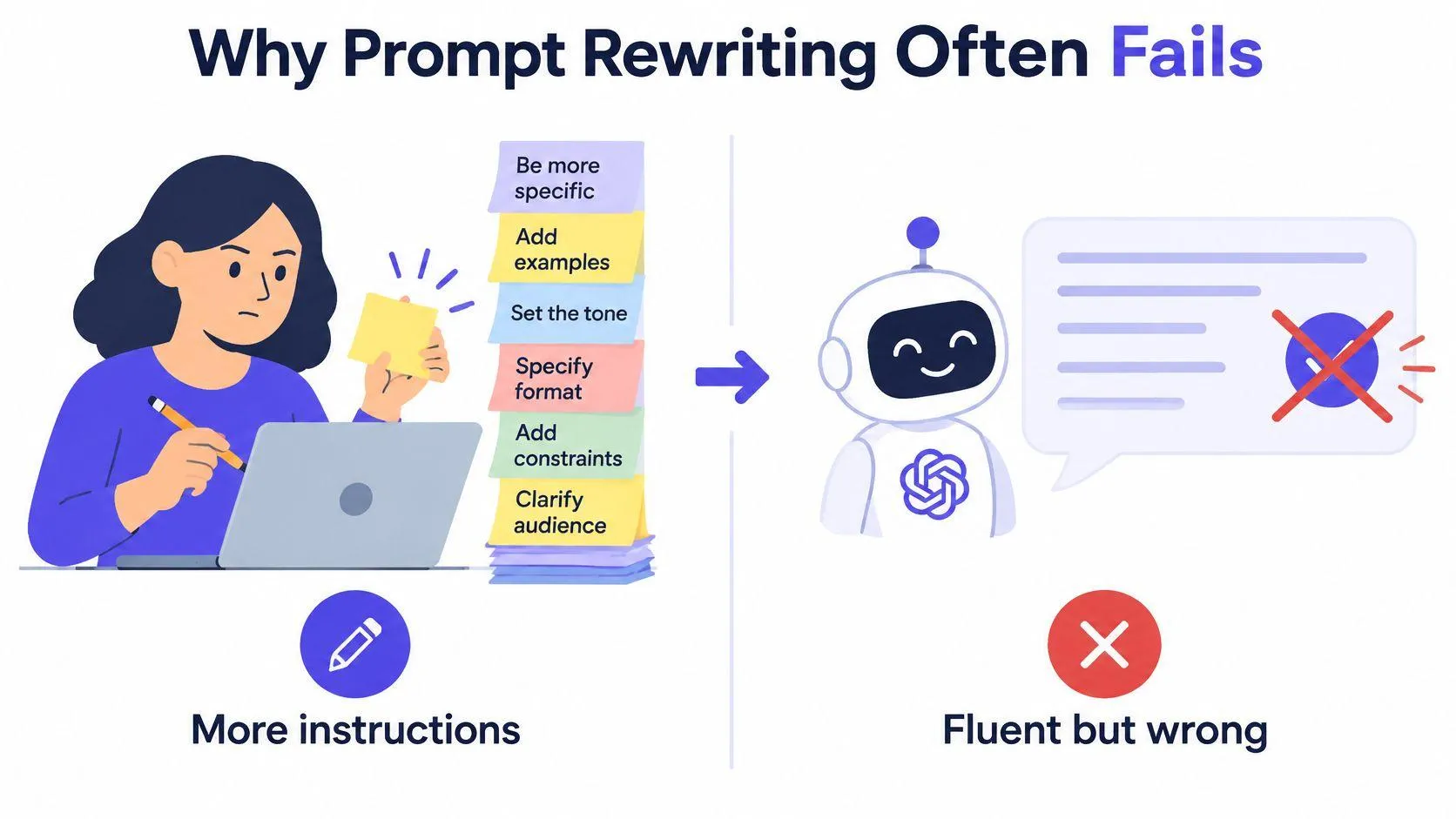
Prompt optimization means finding instructions that improve performance on a defined task under a defined way of judging the result. The load-bearing words are defined task and judging the result. Without them you compare answers by feel, and feel rewards confident wording, clean formatting, and one lucky run instead of correctness.
Feel is not a test.
Automated search shows what testing looks like. A survey of prompt engineering covering the OPRO study reports that on GSM8K, optimized prompts beat human-designed prompts by as much as 8%, and on selected challenging BIG-Bench tasks gains reached 50%. The OPRO work, published as an arXiv preprint in February 2024, used a language model as the optimizer: it fed the model earlier prompts, their scores, and instructions to propose new candidates. Those figures show prompt quality can be measured and improved through search. They do not prove your task will gain that much, since results depend on the model, the benchmark, the scoring method, and transfer to fresh examples.
A dependable process starts from a testable task and a scoring rule. Define the job plainly, write a short baseline, change one thing at a time, and check the result on examples the prompt never saw. Then adapt it to the target model and stop when the output clears your quality bar.
Build a Testable Prompt Brief
Before drafting polished instructions, write down what the model must do. A broad request like “write a marketing email” leaves basic choices unanswered: who will receive it, what they should do, which facts the message can use, and how the finished email should look.
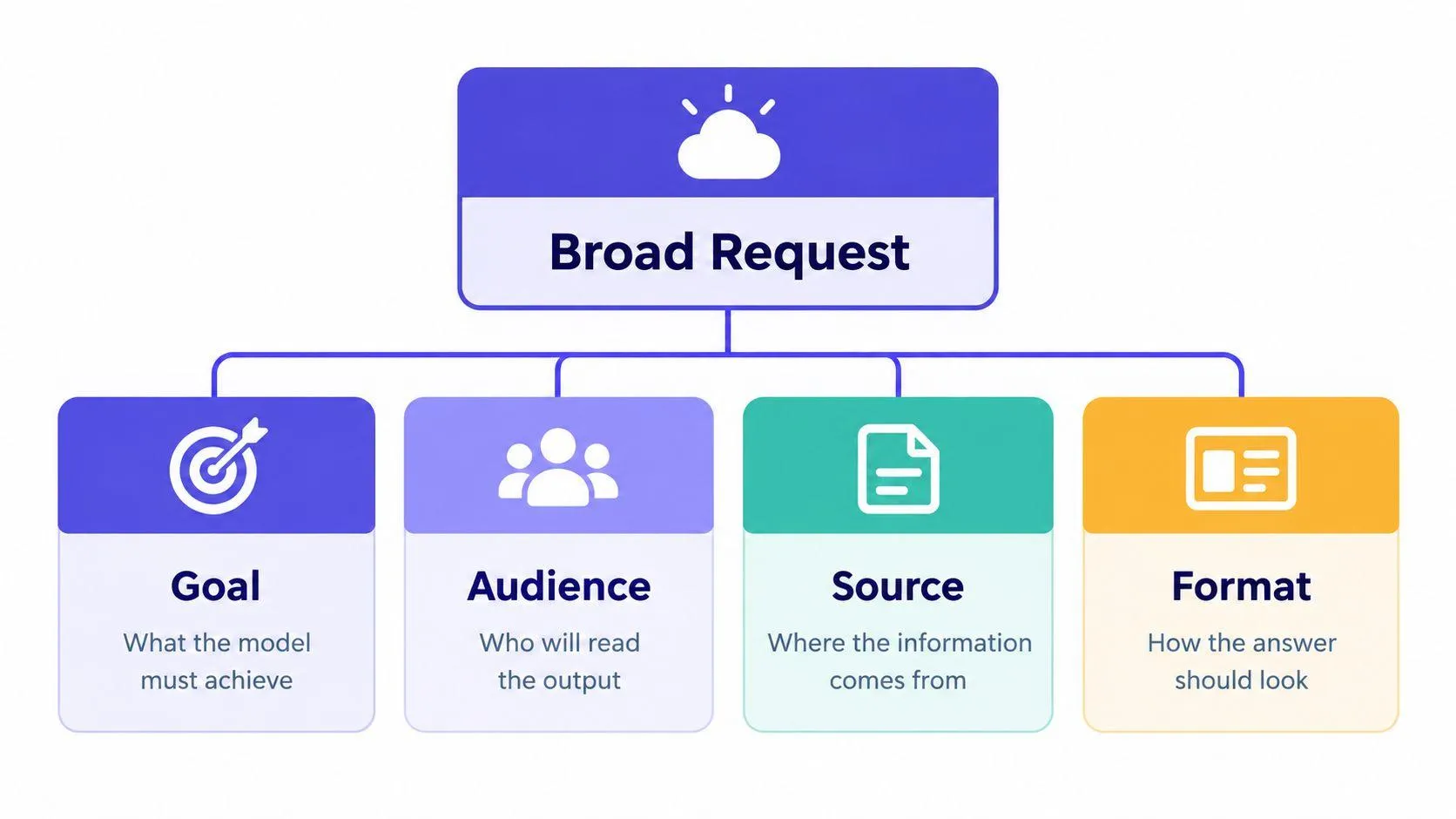
Turn the request into a short brief with these parts:
- Goal: Name the outcome. For example, draft an email that invites current customers to register for a product demonstration.
- Audience: Describe the reader in terms that affect the writing, such as existing customers who already know the product.
- Source: Provide approved product facts, dates, and links. Tell the model not to invent claims or fill gaps with guesses.
- Constraints: Set any real limits on tone, length, required wording, or prohibited content.
- Format: Specify the output, such as a subject line followed by an email body and a call to action.
- Check: Decide what makes the result pass. You might verify every product claim against the source material and confirm that the email includes the registration action.
Context changes the answer. “Write a launch email” could produce a generic announcement; “write to existing customers, use only the attached release notes, and invite them to register” gives the model a narrower, checkable job. Keep the audience and facts separate from assumptions. If the source doesn’t say when a feature launches, the prompt should require the model to flag the missing date rather than invent one.
The same brief works for other tasks. For a coding request, identify the language, relevant files, expected behavior, and how the change will be tested. For a research summary, define the source set, the question to answer, how to handle conflicting evidence, and the required format. A useful guide to AI prompt builders can help structure those elements, but the goal is the same whether you use a tool or write the brief yourself.
Finally, cut anything that doesn’t change the model’s job. Decorative adjectives, repeated rules, and vague demands such as “make it excellent” take up space without giving you a reliable way to check the answer.
Rewrite Prompts With Orwell’s Rules
George Orwell’s advice on clear prose applies directly to prompts: choose ordinary words, remove needless ones, prefer active voice, and avoid worn-out phrases. He also warns against following a rule so rigidly that the result becomes awkward or inaccurate. The Orwell Foundation’s account of his six rules
Start with this weak instruction:
The key risks should be identified in the report.
It sounds formal, but it hides the actor. Does the model need to find the risks, explain risks already identified by someone else, or summarize a risk section? Make the job direct:
Identify the key risks in the report.
The revised version names the action and its object. A legal-writing analysis of Orwell’s rules notes that passive constructions can add words and leave readers unsure about who did what. In a prompt, that uncertainty can blur what the model must do. The legal-writing analysis
Use the same edit for sequences. “The data should be sorted, and the results should be summarized” becomes “Sort the data, then summarize the results.” The order now appears in the instruction itself.
Technical language can hide a plain request, too. Instead of “Perform an extraction of entities from the content,” write “List each person, organization, and place named in the text.” Use a specialized term only when it adds precision for the task or audience.
A practical editing pass
Read each sentence and ask:
- Who acts? Name the model when it must perform an action.
- What does it do? Use a concrete verb such as classify, compare, extract, or summarize.
- What receives the action? Name the text, data, code, or claim to work on.
- What can you remove? Cut repeated constraints and decorative wording.
- What must remain? Keep context, limits, and examples that change the answer.
Don’t shorten a prompt just to make it look neat. “Use only the attached sources” is short, but it may not say what to do when the sources disagree or omit an answer. Add those conditions if they matter. Orwell’s final rule is the safeguard: clarity serves meaning; it doesn’t replace it.
Run Controlled Prompt Experiments
Treat a prompt change like a small experiment. If you change the role, add an example, and impose a new output format all at once, a better response won’t tell you which change helped. A worse one won’t tell you what to remove.
For an email-rewrite task, begin with the direct request: “Rewrite this email for clarity while preserving its meaning.” Save a set of representative emails and decide what counts as a pass. For example, a reviewer might check whether the rewrite preserves every key fact, follows the requested tone, and avoids adding claims. The exact metric depends on the task; choose it before comparing prompts.
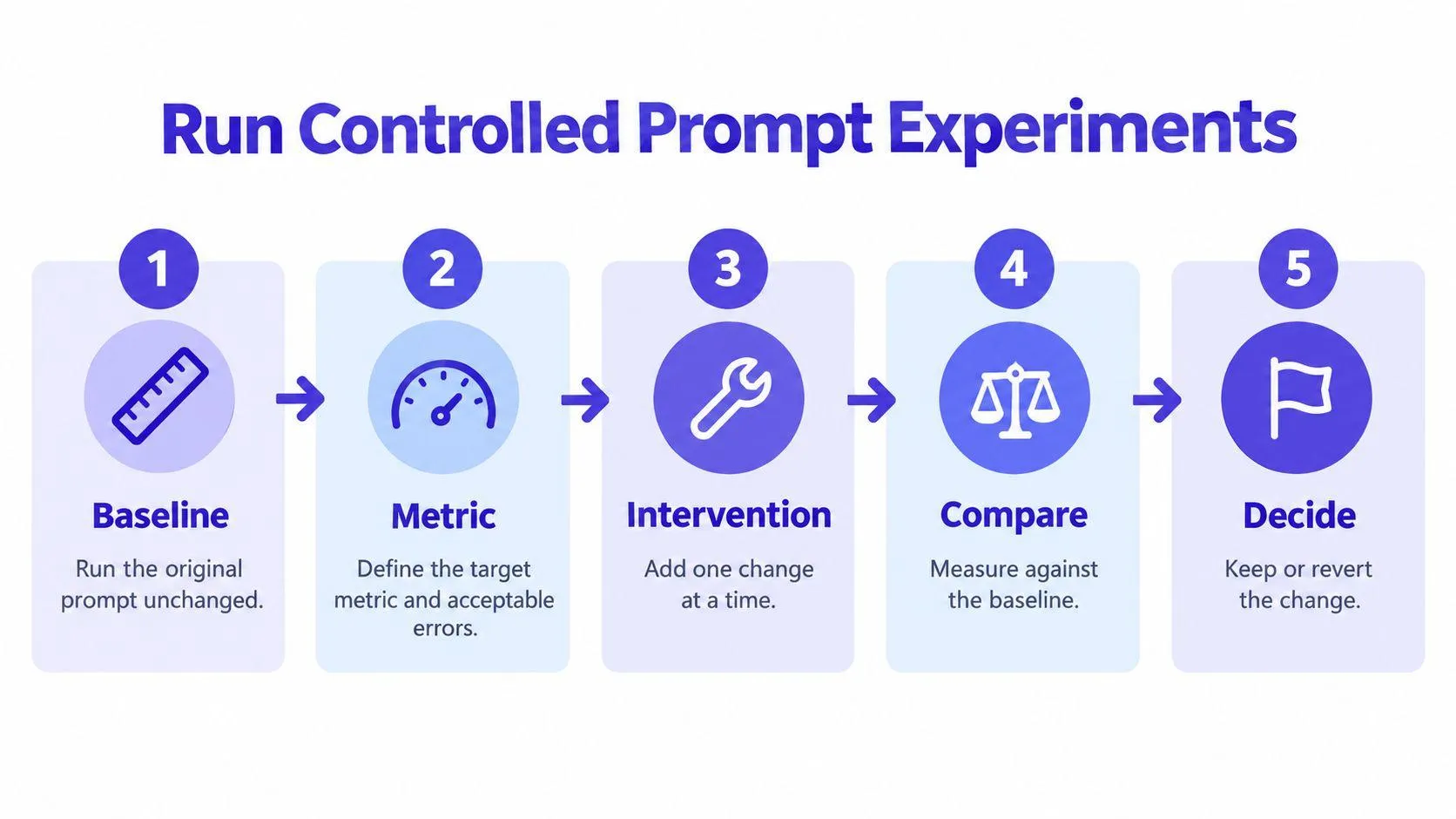
Use a simple loop:
- Run the baseline. Test the original prompt unchanged and record its results.
- Define the metric. Set the target and name the errors that matter, such as altered facts or missing content.
- Add one intervention. Try an output schema, a worked example, or a reasoning instruction, one at a time.
- Compare fairly. Run the original and revised prompts on the same cases.
- Keep or revert. Retain the change only if it improves the chosen measure without creating unacceptable errors.
The same discipline helps with other tasks. If a research summary omits a required field, first try a structured output schema. Then test demonstrations separately. Add a reasoning scaffold only as its own candidate. In each case, use the same inputs and the same scoring rules, so the comparison measures the change rather than a different test.
Keep some examples out of prompt design. These held-out cases help show whether a change works beyond the examples that inspired it. Repeat runs across multiple random samples, and record which model version produced each answer. A single strong result could reflect ordinary variation rather than a durable improvement.
A useful test log records the prompt version, model, test set, metric, observed failures, and decision. That record makes it easier to revisit a choice when the model or task changes. It also supports a practical stop rule: keep the shortest prompt that meets the quality threshold. Extra instructions cost tokens and can create more places for rules to conflict, so don’t keep them unless the test justifies them.
For a deeper technical demonstration, the video below accompanies the experiment workflow.

Test Reliability Beyond One Good Answer
A prompt that produces one excellent answer hasn’t proved reliable. Test ordinary requests, edge cases, contradictory instructions, missing information, and inputs that try to push the model outside its limits. The point isn’t to make a prompt pass a contrived obstacle course. It’s to learn which failures matter before users encounter them.
Score different qualities separately. Accuracy asks whether claims and answers are correct. Completeness checks whether the response includes what the task requires. Calibration asks whether the model signals uncertainty when evidence is weak. Harmful-error rate tracks consequential mistakes. Repeatability checks whether similar inputs produce consistent results. One blended score can hide a serious failure in a category that matters to your users.
Analytical work needs especially careful checks. A fluent calculation or research explanation can still use the wrong assumption, select an unsuitable method, or claim more than the evidence supports. A 2025 study of statistical reasoning found that zero-shot prompting could handle basic descriptive work but failed in inferential contexts when it didn’t check assumptions. Hybrid prompts that combined explicit instructions, reasoning scaffolds, and format constraints performed best across assumption checking, test selection, completeness, and interpretation. Yet independent evaluation still mattered: in an assessment of 148 statistical-analysis items, the model identified 25 of 26 inappropriate methodological choices and missed one. The study of statistical reasoning
Diagnose the source of failure
When a result fails, don’t assume the prompt is the cause. Check the test conditions first:
- Input: Did the model receive the facts and context it needed? If not, add or request the missing information.
- Prompt: Does the instruction assign a specific action and define what to do when information is absent?
- Model: Does another model handle the same task better under the same conditions?
- Evaluator: Does the scoring rule recognize valid paraphrases or only an exact match? A flawed evaluator can mark a sound answer wrong.
- Variation: Do repeated runs differ? If so, measure that inconsistency before treating one output as decisive.
A better test often teaches you more than another paragraph of instructions.
For research or analysis, include decision rules, assumptions, uncertainty handling, and the required calculations. Ask for evidence fields when appropriate, require the model to flag missing facts, and independently recompute supplied values. Then test those requirements on cases designed to reveal where the system can fail. If the evaluation method itself is unreliable, rewriting the prompt won’t fix the measurement.
Adapt Prompts Across Models and Tasks
A prompt that produces clean summaries in one model can drift in the next. The parts that travel are the goal, context, constraints, relevant examples, and the expected output format. What needs adapting is the delivery: XML-like delimiters may organize instructions well in one assistant while another responds better to a plain layout, and an image model needs concrete composition language where a code assistant needs tool instructions and repository context.
Longer prompts trade against consistency, too. In a randomized experiment involving nearly 1,900 participants using successive DALL-E versions, the newer model explained only about half of the improvement in image similarity; users changed their prompts as well, and DALL-E 3 users wrote prompts 24% longer than DALL-E 2 users. That finding supports adaptation, not the assumption that every prompt should grow. The MIT Sloan discussion of prompt and model effects
Elaborate reasoning can also backfire. As shown in the medical-exam evaluation cited earlier, OpenAI o1-preview using chain-of-thought was up to 36.3 percentage points less accurate than GPT-4o using direct prompting on the same subset of problems, and in a facial-recognition classification task GPT-4o scored 61% with direct prompts against 32% with chain-of-thought prompts. A reasoning scaffold is a candidate to test, never a default setting.
| Prompt element | Transfer or adapt | Practical check |
|---|---|---|
| Goal and audience | Usually transfer | Does the model understand the job and reader? |
| Source material and constraints | Transfer, then verify | Does it follow the limits and avoid unsupported claims? |
| Output format | Transfer as a requirement | Does the response match the needed structure? |
| Delimiters and section labels | Adapt | Does this model respond well to the chosen layout? |
| Tool instructions | Adapt | Can the model use the required tools in this workflow? |
| Image composition terms | Adapt by modality | Does the image output reflect the important visual details? |
| Token-budget assumptions | Adapt | Can the prompt and response fit the task’s practical limits? |
When a prompt moves from writing to research or image generation, keep the goal and constraints and rebuild the task-specific instructions. A guide to context engineering can help clarify what information belongs in the input. Then compare direct and structured versions on the target model. The best template is the one that passes the task’s tests.
Use a Durable Prompt Optimization Routine
A durable routine is one you will run. Mine has five moves: define the task in plain words, run a baseline, edit toward active concrete language, change one thing per test, and check the result on held-out examples. When the prompt meets its quality threshold, keep the shortest version that still passes. Then stop.
Keep the instruction that solves a tested failure. Cut the rest.
Most routines stall while gathering requirements. A tool like Prompt Like A Pro can gather those details for you: it asks five to seven clarifying questions, then drafts a structured prompt from your answers.
Before a prompt goes into regular use, read it once with fresh eyes. Vague context, padded instructions, claims the input cannot support, inconsistent formatting: each predicts a repeat failure you will otherwise blame on the model. Run the same four questions every time. Does the prompt say what to do, for whom, under which constraints, and how success will be judged? If it answers all four, send it to testing.
Use Prompt Like A Pro to answer task-specific questions and turn your requirements into a structured prompt for ChatGPT, Claude, Gemini, or Midjourney. It is free, requires no account, and keeps saved prompts locally in your browser rather than on a server. Then test that prompt against your own examples, keep the changes that improve the result, and stop when it meets your quality bar.
Ready-made prompts for this
Build yours with the wizard
Prompt Like A Pro asks a few questions about your task, then writes a complete prompt for ChatGPT, Claude or Gemini. Free, no signup.
Make a prompt →Read next
Midjourney Prompts Guide: From Basics to Pro Workflows
A version-aware Midjourney prompts guide: separate description from parameters, test one variable at a time, keep a look consistent, check rights.
Read the guide →