
AI Prompt Design: Principles, Templates and Tests
You and a colleague ask the same assistant for a product launch email. Yours opens with vague excitement and a list of benefits that could fit any product. Your colleague gets a draft that needs only light edits before sending.
Table of Contents
Why the Same Request Gives Different Answers
The useful difference is prompt design, not a secret phrase. Your colleague specified who would read the email, what had changed, which claims were allowed, and what the reader should do next. You left those decisions open.
AI prompt design is the deliberate choice of what the model sees: instructions, context, examples, and the shape of the answer. Think of a prompt as a brief handed to a contractor who has never met the client and can’t ask follow-up questions. Every missing detail leaves room for a guess.
The assistant has general knowledge, but it doesn’t know your particular customer, approved claims, or house style unless that information reaches it. A missing audience or length limit invites a default. That default may sound polished without meeting your need.
A useful prompt makes the important decisions explicit and leaves room for judgment only where you want it.
This overlaps with context engineering, which concerns the wider information available to an AI system, including documents, conversation history, and retrieved material. Prompt design focuses on how you state the task within that environment.
The principles apply across ChatGPT, Claude, and Gemini, though formatting details can vary. Start with the six parts of a useful brief, sharpen the wording, show examples, and compare formats against fixed cases. You’ll have a checklist you can apply today, plus a way to tell whether a revision helps.
The Six Parts Every Strong Prompt Needs
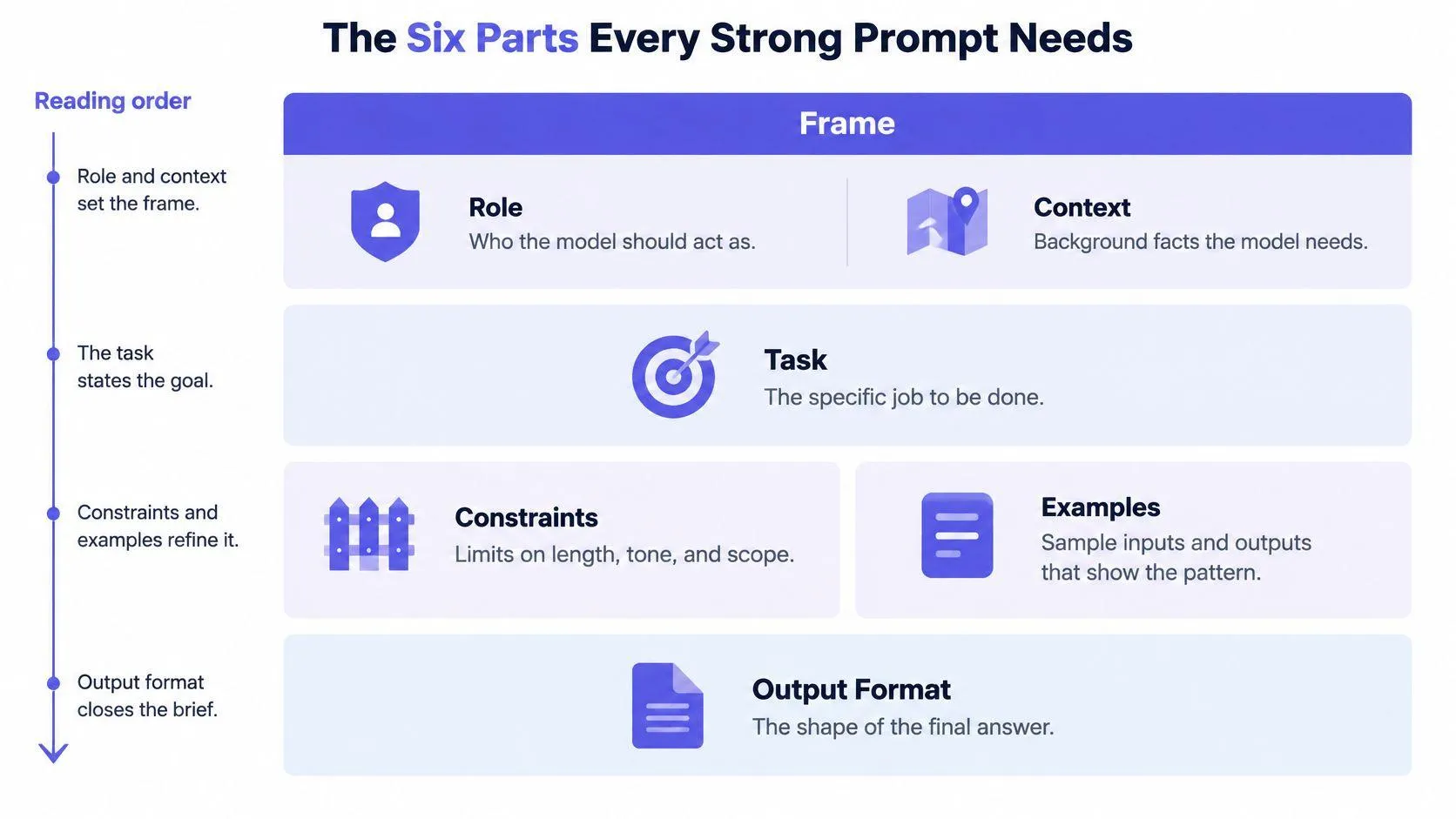
A contractor’s brief works because it separates decisions that people often mix together. A prompt benefits from the same discipline: role and context set the frame, the task names the action, constraints set limits, examples show the pattern, and the output format defines the final shape.
These aren’t magic fields. They’re places to put information the assistant would otherwise have to infer.
The diagram shows how the parts fit together.
Give each part a distinct job
Prompt components, their job and the failure when missing
| Component | Job it does | Sample line | Typical failure if missing |
|---|---|---|---|
| Role | Sets expertise, tone, and point of view | You are a senior tax analyst writing for small-business owners. | Generic voice that sounds like an encyclopedia |
| Context | Supplies audience, situation, and background | Readers run a 4-person bakery in Ohio and have no accounting staff. | Advice that ignores the reader’s real situation |
| Task | States one clear action | Summarize the three biggest cash-flow risks. | Output drifts between summary, critique, and advice |
| Constraints | Sets length, scope, and what to avoid | Keep it under 120 words. Don’t mention late fees. | Overlong output or off-limits claims |
| Examples | Shows the input-output pattern to copy | Input: late invoice. Output: two-sentence reminder with due date. | Format and style guessed by the model |
| Output format | Defines the shape of the answer | Table with columns: risk, trigger, fix. | Output that’s hard to scan, parse, or reuse |
A role sets a perspective; it doesn’t grant credentials or guarantee expertise. For a tax task, the model still needs the relevant facts and a way to check its answer.
Nor does every request need every part. A simple factual question may need only a task and a format. A client email with audience, tone, and policy requirements benefits from the full brief.
Assemble the brief
For a hypothetical bakery supplier, the parts read like this:
Role: Account manager at a bakery supplier.
Context: Readers run 4-person bakeries.
Task: Write a payment reminder.
Constraints: Under 120 words, no late fees.
Example: Input: late invoice. Output: two-sentence reminder.
Output: Email with subject line.
This is a structure, not yet a send-ready request. Add the invoice facts and replace the sketch of an example with an actual approved reminder.
To test whether a line earns its place, cover it and compare the result. Without context, the email may sound corporate; without constraints, it may threaten fees; without the output line, it may arrive without a subject. If removing a part makes no useful difference across your cases, simplify it or leave it out.
Turning Vague Requests into Specific Instructions
Consider this starting point:
Write a blog post about remote work.
For a hypothetical assignment, a usable replacement would be:
Write a 900-word blog post for HR managers at firms with 50 to 200 staff. Cover two costs and one policy fix. Close with a checklist.
The second prompt fixes audience, length, scope, and structure. It doesn’t merely ask for better writing. It states decisions the writer needs before starting.
Use Orwell’s rules as an editing checklist
George Orwell set out six rules for clear prose in his 1946 essay Politics and the English Language. They offer a practical way to edit instructions:
- Avoid worn-out comparisons. Replace requests for game-changing or next-level copy with the benefit the reader should understand.
- Prefer short words. Use help rather than facilitate when both mean the same thing.
- Cut needless words. Delete phrases such as I would like you to go ahead and.
- Use active voice. List three risks gives a clearer action than Three risks should be listed.
- Choose ordinary English. Ask for causes of delay rather than operational friction vectors, unless that technical language serves the audience.
- Keep judgment. Break a rule before you write something unnatural or distort the meaning.
These rules help you remove ambiguity, not just reduce word count. A necessary definition belongs in the prompt even if it makes the instruction longer. A string of flattering adjectives doesn’t.
Replace opinions with observable requirements
Words such as engaging, professional, and thorough describe judgments, not clear tests. Translate them into features someone can inspect.
For a client update, professional might mean stating the current status first, naming the blocker without blame, and ending with the decision you need. For a beginner’s guide, clear might mean defining unfamiliar terms before using them.
Try this editing sequence:
- Name the reader. State what they know and what they need to decide.
- Choose the action. Use a direct verb such as compare, extract, draft, or classify.
- Set boundaries. Include required topics and exclusions.
- Resolve missing inputs. Tell the assistant whether to ask a question, use a placeholder, or leave a field blank.
If a colleague couldn’t start work from the instruction alone, identify what’s missing. Specificity means supplying the decisions that matter. It doesn’t mean writing a longer prompt.
Examples That Teach the Pattern Faster Than Rules
Say you’re drafting support replies. You ask for a warm, concise answer without a formal greeting or sign-off. The assistant still adds a long apology, repeats the customer’s complaint, and closes like a business letter.
Instead of adding more adjectives, show the pattern.
Input: My download link has expired. What should I do?
Output: Thanks for letting us know. Reply with your order email so we can check your purchase and help you access the file.
This example shows the opening, length, next action, and stopping point. It’s easier to copy that pattern than infer what warm and concise mean to your support team.
Know what each approach supplies
Zero-shot prompting gives an instruction without a demonstration. One-shot prompting adds an example. Few-shot prompting adds several examples.
Use instruction-only prompts when the task and expected answer are already clear. Add a demonstration when the assistant keeps missing a house style, label boundary, or unusual format.
As a starting experiment, try one or two examples for a format problem. Try three to five when you need to cover distinct edge cases. These are trial settings, not guaranteed thresholds: keep an example only if it helps on cases you didn’t use to write the prompt.
Place examples after the instructions and label each input and output. Keep the actual request separate, so the assistant doesn’t answer a demonstration instead of the current customer. A collection of worked prompt examples can help you compare ways to make those boundaries visible.
Check what the example teaches by accident
An example can pass along more than its intended lesson. The assistant may copy its opening words, assume every customer has an order email, or repeat an error you overlooked.
- Vary meaningful details. Include different issues and customer situations, not just rewritten versions of the same request.
- Resolve conflicts. If the rule bans refund promises, no example should promise a refund.
- Label bad answers clearly. Pair an unacceptable answer with a correction rather than leaving it as another output to imitate.
- Test transfer. Try a new case with different facts but the same response pattern.
For the support task, an unacceptable answer might guarantee immediate access before anyone checks the purchase. The corrected example should request the needed information without making that promise.
Examples work best when they clarify a decision, not when they decorate an already clear instruction.
Formatting Prompts for Each Model and Task
The content of a prompt and its layout are separate choices. You can preserve every instruction while changing how you mark the boundaries between the task, source material, examples, and requested answer.
A controlled prompt-format study compared plain text, Markdown, JSON, and YAML while holding persona, task instructions, examples, output requirements, and the user request constant, and found that format alone affected performance on reasoning, code-generation, and translation tasks using GPT models. That scope matters: it doesn’t establish a universal winning format for every model.
Choose a layout that matches the work
Prompt formats compared by strength, risk and best use
| Format | Strength | Main risk | Best use |
|---|---|---|---|
| Plain text | Fast to write and easy to edit | Boundaries between instructions and context blur | Short, single-task requests |
| Markdown headings and labels | Clear sections for people and models | Heavy nesting can clutter simple prompts | Multi-part drafting and reports |
| XML-style tags | Explicit boundaries around context, examples, and output | Unexplained tag names may not be used as intended | Long prompts with mixed inputs, especially for Claude |
| JSON | Machine-readable fields for downstream code | Malformed syntax or ambiguous keys break output | Extraction and API pipelines |
| YAML | Readable nested structure for configuration-like prompts | Indentation errors are easy to miss | Settings-heavy prompts with several parameters |
Plain text is enough for a direct request such as rewriting a sentence. Once you include a policy document and several examples, Markdown headings can make the prompt easier to inspect and maintain.
XML-style tags offer another way to separate long inputs. For a Claude workflow, you might wrap reference material in <source_text> tags and explicitly state that its contents are evidence, not instructions. Don’t assume a custom tag name explains itself.
JSON is useful when software builds or reads the prompt’s fields. Validate its syntax and define ambiguous keys. Also distinguish input format from output format: a prompt written in Markdown can still request a JSON answer.
YAML suits configuration-like inputs that people edit by hand. Check indentation carefully, especially when moving a setting between nested sections.
Compare formats without changing the task
Choose two or three representations and run them against the same test set. Keep the wording, examples, source material, and model settings fixed as far as possible. Otherwise, you won’t know whether the layout or an added instruction caused the difference.
Use a short decision list:
- Accuracy: Did the answer solve the task correctly?
- Schema compliance: Did it use the required fields and types?
- Resilience: Did it still work with missing, long, or awkward inputs?
A tag-based layout that helps on Claude may gain nothing on Gemini. Choose the format that survives your tests, then check that a colleague can still read and edit it without breaking it.
How to Test a Prompt Before You Trust It
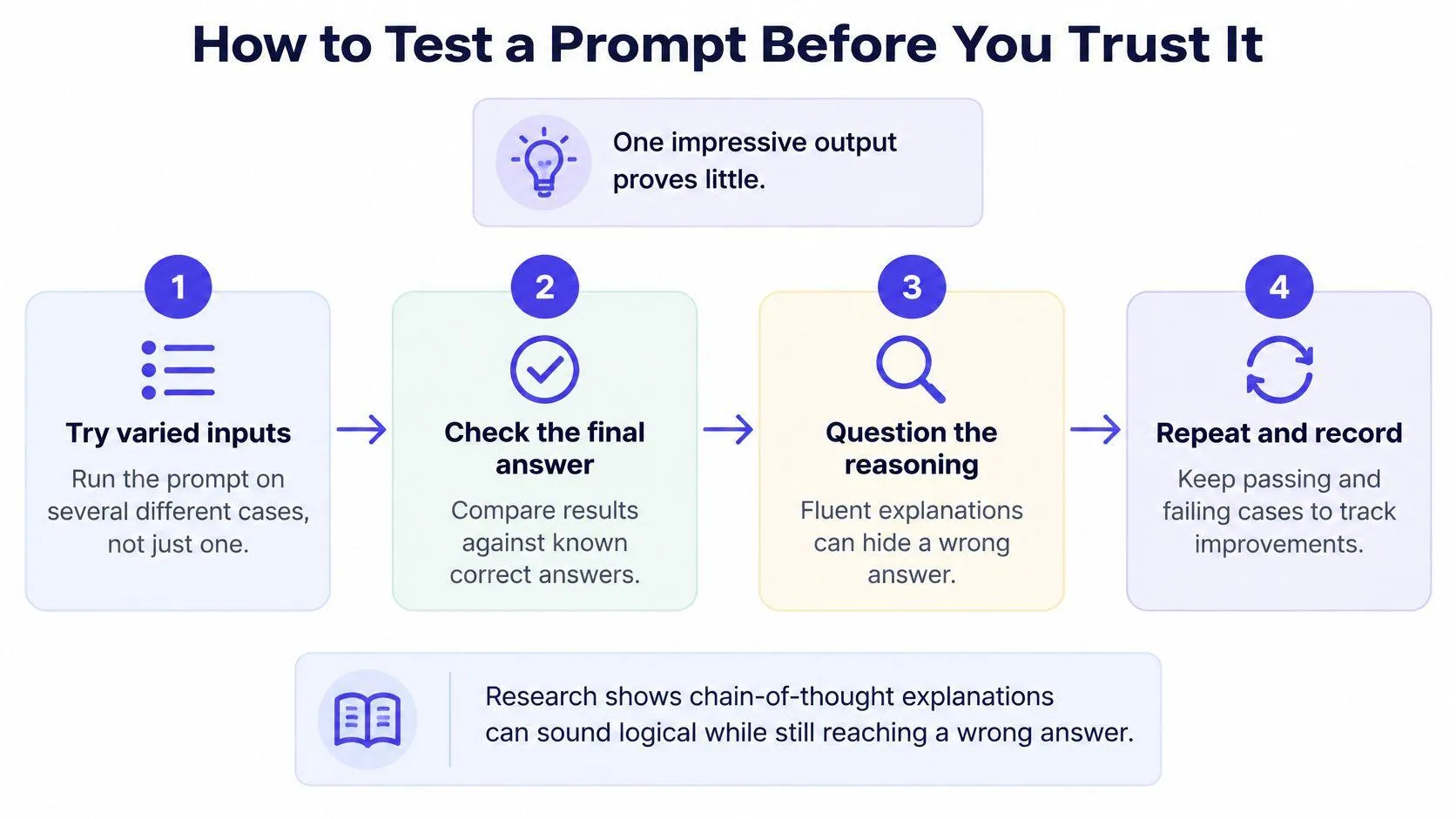
A prompt can produce a polished answer that still misses a key fact. Irrelevant cues, such as the position of an answer choice, can affect a model’s accuracy. Examples may help guide responses, but explanations can also sound convincing without showing why the model chose an answer. Treat each prompt as an experiment: hold the test cases steady, change one element at a time, and judge the result by what it gets right.
Fluent output isn’t proof of correctness. Check the substance as well as the presentation.
Run a small controlled test
For a practical trial, use this procedure:
- Write success in a sentence. For example, a reminder should preserve the invoice facts, request payment politely, and make no unsupported threat.
- Build a fixed test set. Start with 10 to 20 real cases, including two or three edge cases. Remove confidential details before using an external assistant.
- Repeat each case. Run it at least three times in fresh conversations, keeping the settings the same where possible.
- Score against a short rubric. Mark accuracy and format compliance as pass, partial, or fail. Track unsupported claims separately so polished writing can’t conceal invented facts.
- Change one variable. Revise an example, constraint, or layout, then rerun the full set. This makes it easier to tell whether the change helped.
- Try a second model. Keep the cases and scoring rules unchanged to compare failures fairly.
Record failures, not just scores
Save the prompt version, model label, settings, input, answer, and reviewer notes together. For an invoice reminder, test edge cases such as a disputed charge or missing due date. The prompt should guide the model to handle those gaps without inventing terms.
If scores stop improving, inspect the task and its inputs before polishing wording. The source material may be incomplete, the task may need to be split, or a person may need to verify the result. A useful revision improves the cases you care about without causing a more serious failure elsewhere.
For reasoning-heavy tasks, you can also test self-consistency sampling: generate several independent candidate answers and select the one with the strongest agreement. Evaluate this approach by final-answer accuracy, while accounting for the extra latency and token use.
Use the same rubric when trying techniques from a demonstration.
Reusable Templates for Common Prompt Patterns
A template is a prompt skeleton with slots such as [audience], [source text], and [output schema]. You fill those slots for each job while keeping the parts that have proved useful.
Treat bracketed slots as required inputs, not text to leave in a finished prompt. If a field isn’t relevant, remove it. If an essential fact is missing, decide how the assistant should handle the gap before running the task.
Choose a skeleton by task
Five reusable prompt templates and their key constraint
| Pattern | Use when | Skeleton | Key constraint |
|---|---|---|---|
| Content draft | Writing emails, posts, or product copy | Role: \[role\]. Audience: \[audience\]. Task: write \[format\] of \[length\] about \[topic\]. Include: \[points\]. Avoid: \[claims\]. | State length and banned claims so the draft needs little editing |
| Code review | Checking a diff before merge | Review this change to \[task\]. Files: \[diff\]. Check: \[edge cases\]. Report pass, fail, or partial with evidence. | Require evidence such as test output, not only inspection |
| Research summary | Condensing papers, reports, or notes | Summarize \[source\] for \[reader\] in \[n\] bullets. Mark each claim that isn’t in the source. | Force a flag for unsupported claims |
| Data extraction | Pulling fields from documents or emails | Return JSON with fields \[schema\]. Use null when a field is missing. Source: \[text\]. | Fixed schema and an explicit null rule |
| Classification | Sorting tickets, leads, or feedback | Label each item as \[labels\]. Examples: \[two per label\]. If unclear, use \[fallback label\] and explain why. | Two examples per label and a fallback option |
Require evidence in code review
Ask the assistant to explain the effect of a change and connect findings to evidence: a changed line, a failing assertion, or actual test output. If it can’t execute tests, it should say not run rather than present a proposed test as a passed check.
A 2025 survey of 72 software practitioners found that 76% often included example inputs and expected outputs in code-generation prompts. That habit is worth borrowing for review: expected behavior gives the reviewer something concrete to check, though it doesn’t replace execution.
For a date parser, provide accepted inputs, rejected inputs, and expected results. Ask the reviewer to distinguish a demonstrated defect from a possible risk that still needs a test.
Make missing information visible
Extraction prompts need a fixed schema, defined field types, and an explicit null rule. If an email contains a delivery address but no invoice address, the assistant shouldn’t assume they’re the same. Validate both the JSON structure and whether each value appears in the source.
Classification needs a different escape route. In the suggested skeleton, supply two labeled examples per category and define a fallback label such as needs review. Require a short reason for that fallback so a person can resolve the ambiguity rather than accept a forced choice.
Save the templates you use with their test cases and results. Record the model and version label available in the interface, and separate changes to the skeleton from changes to task inputs. When adapting the format for another assistant, preserve the meaning of each field so you can test the new structure fairly.
Build Your First Template This Week
Pick a task you repeat at least weekly, such as a client update or project summary. Use a week to build a dependable starting point rather than collect more prompts.
- Choose the task. Keep its scope narrow enough that you can judge the answer.
- Write success in a sentence before drafting.
- Fill the slots in the closest template.
- Build a trial set of ten real cases, including two edge cases.
- Run it on two models, apply the accuracy and format rubric, and change one variable at a time.
- Save the strongest version with the model label, date, and unresolved failures.
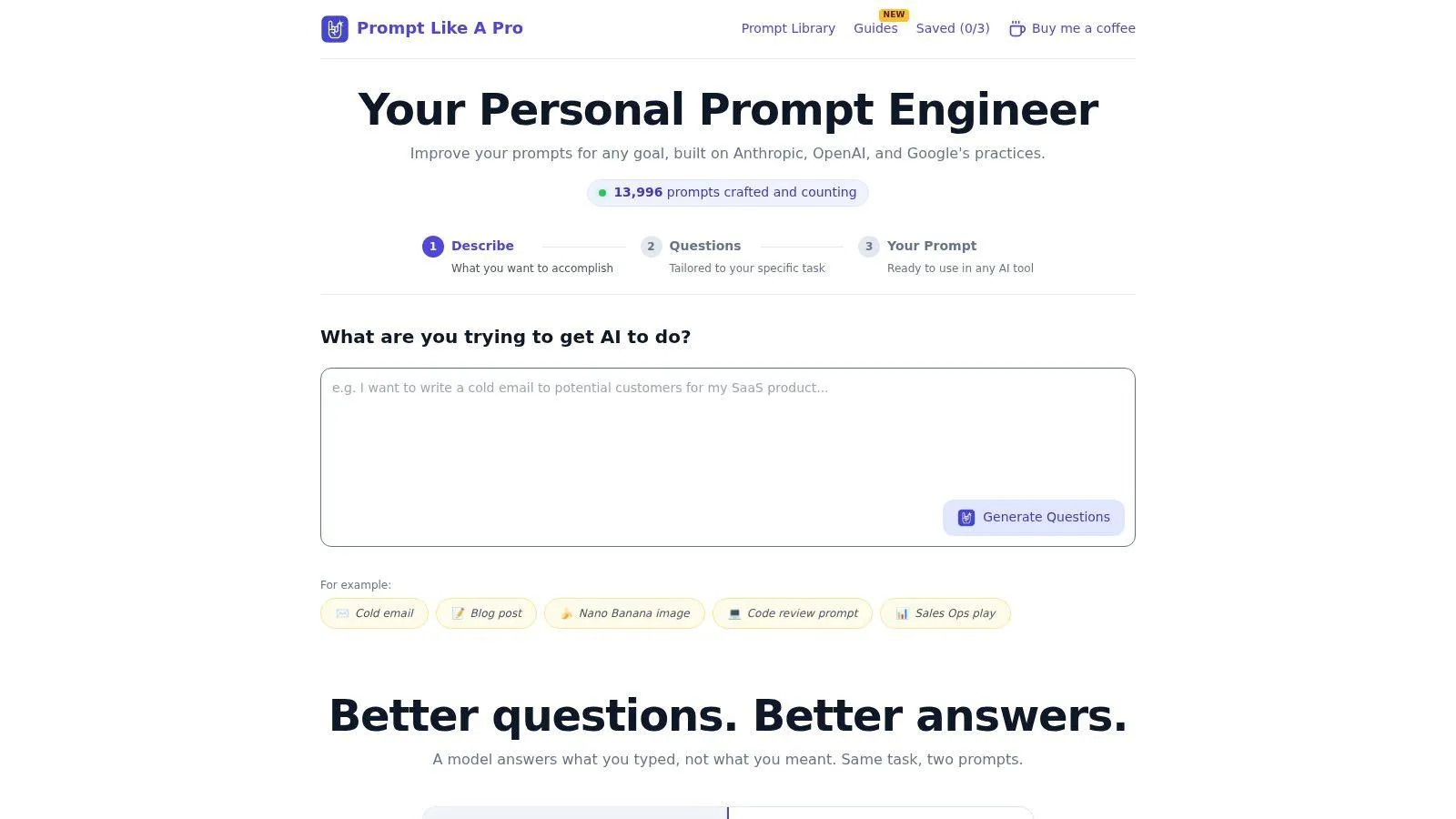
You can write the structure yourself or use the Prompt Like A Pro generator as a starting option. It asks about details such as audience, format, length, and constraints; its draft still needs to pass your test set.
The interface offers a guided starting point.
By the end of the week, aim to have a tested template, a ten-case test set, and a clearer sense of which prompt components affect this task. Keep the failing cases. They’ll help you judge the next revision.
Prompt Like A Pro offers a questions-first prompt generator and a library of prompts you can adapt to your work. Visit Prompt Like A Pro, build a structured starting prompt, and test it against your own cases before making it part of your routine.
Ready-made prompts for this
Build yours with the wizard
Prompt Like A Pro asks a few questions about your task, then writes a complete prompt for ChatGPT, Claude or Gemini. Free, no signup.
Make a prompt →Read next
10 AI Prompt Templates: Clear Picks for Every Task
Ten AI prompt template resources compared: what each gives you, what it costs, and which fits writing, coding, work or research, plus how to build the habit.
Read the guide →