
10 Prompt Engineering Tips for Better AI Output in 2026
You type a request into an assistant, hit enter, and get the same mushy reply you’ve seen before. “Write a blog post about prompt engineering” often turns into a bland, generic draft because the model has too little context, not because it’s incapable.
That’s the actual problem with most prompt engineering tips. The gap is usually missing role, audience, source material, format, and test cases. Add those pieces, and the output changes fast.
I use prompts in the same order I would edit a brief, from setup to review. That matters because a good prompt is rarely one trick. It’s a chain of small choices, each one tightening the result.
Table of Contents
- 1. Give the Model a Role, Audience, and Purpose
- 2. Separate Instructions From Material With Labels
- 3. Show One or More Worked Examples
- 4. Specify the Output Format and Length
- 5. Say What To Do, Not What To Avoid
- 6. Ask for Step-by-Step Reasoning on Hard Problems
- 7. Supply the Source and Limit the Model to It
- 8. Break a Large Task Into Smaller Steps
- 9. Let the Model Ask Questions Before It Drafts
- 10. Test, Compare, and Refine Your Prompts
- 10-Point Prompt Engineering Comparison
- Turn These Tips Into a Repeatable Routine
1. Give the Model a Role, Audience, and Purpose
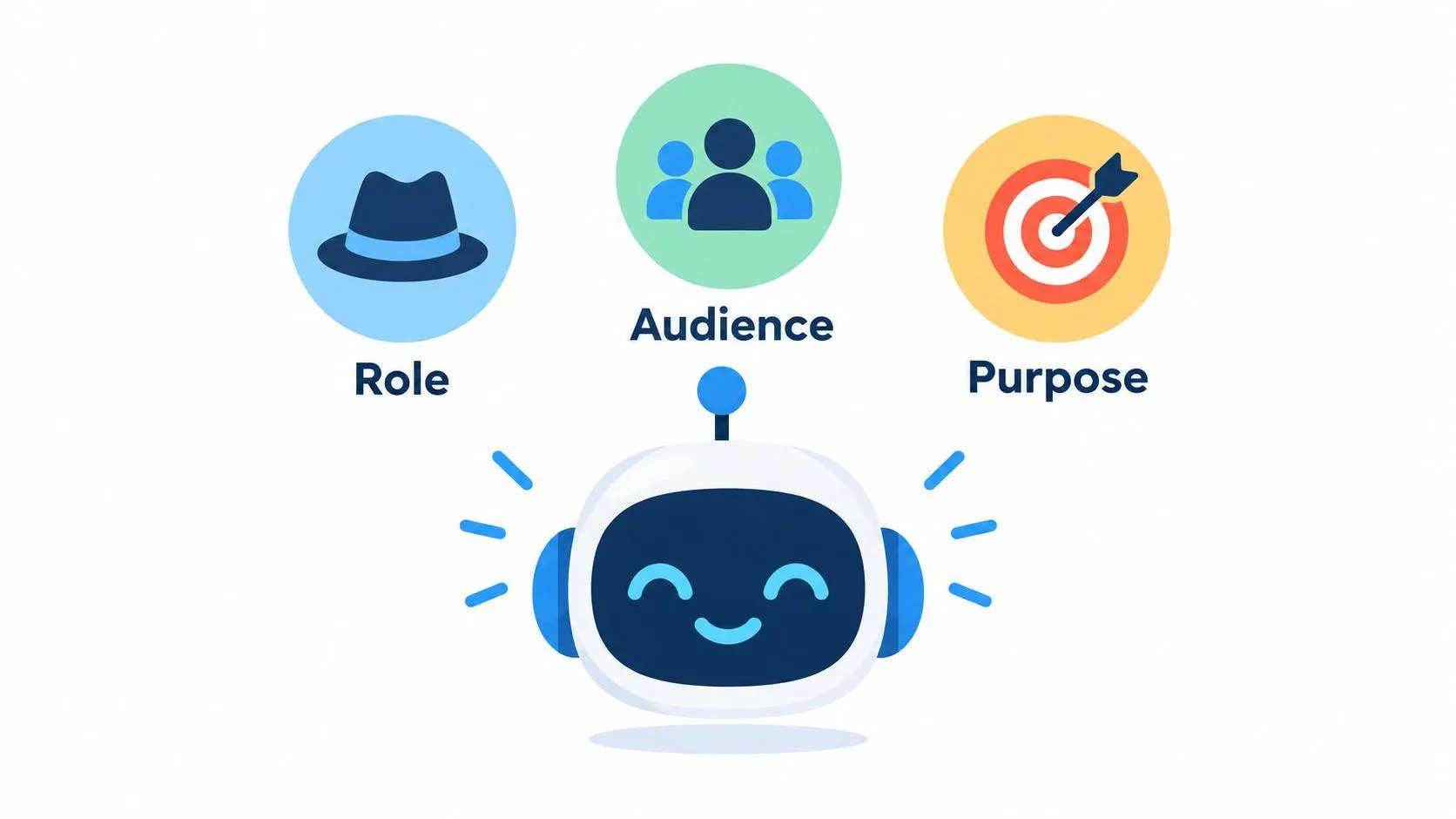
A model writes better when it knows who it is speaking as, who will read the answer, and why the reader needs it. A patient biology tutor speaks differently from a senior product manager, even when both are answering the same question.
Bad prompt: “Explain photosynthesis.”
Better prompt: “You are a patient biology tutor. Explain photosynthesis to a 14-year-old preparing for a class test.”
The second version sets three things at once. It gives the model a role, names the audience, and defines the purpose. That pushes the answer toward simpler words, the right depth, and a calmer tone.
Practical rule: Put the role and audience in the first lines of the prompt, not buried at the end.
That same move helps across assistants. In ChatGPT, it tends to sharpen tone and pacing. In Claude, it often produces more consistent voice control. In Gemini, it can keep the answer from wandering into broad, high-level talk when you want something direct.
A few small details make the role even stronger:
- Name prior knowledge. Say what the reader already knows and what they do not.
- State the purpose. Teaching, persuading, summarizing, or troubleshooting all need different wording.
- Check facts yourself. A role changes style, not accuracy.
The first edit is often the most powerful because it cuts out guesswork before it starts.
2. Separate Instructions From Material With Labels
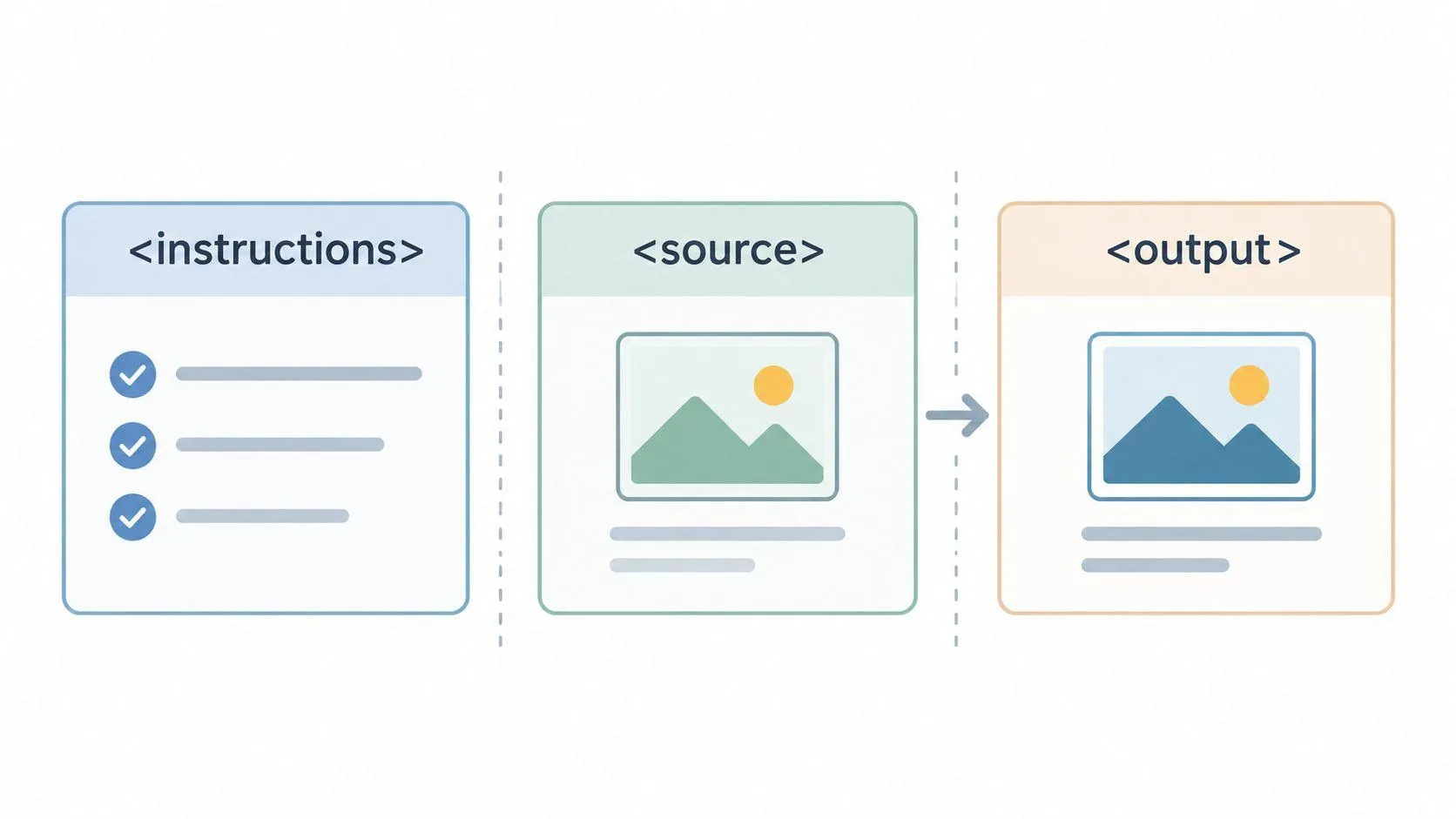
When a prompt mixes your request with a long email, note, or document, the model can blur the line between directions and source text. Clear labels solve that. Use headings, triple quotation marks, or tags like <document> and <reply> so the model knows where each part begins and ends.
Bad prompt: “Summarize this customer message and draft a reply. [long email pasted here]”
Better prompt: “Summarize the customer message in <email> and draft the reply in <reply>.
[pasted customer message] ”
That structure makes the task easier to follow. Claude tends to respond especially well to XML-style tags, because the boundaries are obvious. ChatGPT also handles labeled blocks well, and Gemini benefits when the instruction stays separate from the source text instead of wrapped into one long paragraph.
A support manager can use the same pattern every day. The manager pastes the customer note inside <email>, then asks for the response inside <reply>. The model stops guessing which text to answer and where to place the answer.
Separate trusted instructions from untrusted content, especially when the model reads files or web pages.
A few habits make this more reliable:
- Reuse the same tag names. Consistency helps when you reuse the prompt later.
- Put instructions first. For long documents, repeat the task at the end if needed.
- Use plain tag names. <notes>, <draft>, and <source> are enough.
The model is less likely to drift when the structure is visible. That does not make the answer perfect, but it does make the prompt easier to parse.
3. Show One or More Worked Examples
A worked example does more than describe the task. It shows format, tone, and level of detail in a way plain explanation usually can’t. That’s why few-shot prompting remains one of the strongest tools in the kit, and why early GPT-3 research became such a foundation for modern prompting, with the 175-billion-parameter model improving from 64.3% in zero-shot to 71.2% with a few examples on the reported average, a 6.9-point lift (GPT-3 research summary).
Bad prompt: “Classify these support tickets.”
Better prompt:
“Classify each ticket as Billing or Technical.
Example 1
‘My invoice shows the wrong tax amount.’ → Billing
Example 2
‘The app crashes when I upload a file.’ → Technical
Now classify this ticket: ‘My card was charged twice.’”
The examples teach the boundary between categories. They also teach the output shape. In ChatGPT, this often reduces rambling. In Claude, it can improve consistency in how labels are applied. In Gemini, the same pattern helps when the task has edge cases, because the model can imitate the examples instead of inventing its own format.
One useful rule is to keep the format identical while varying the content. Add one ambiguous example so the model sees how to handle uncertainty. If a sample causes mistakes, replace it instead of stacking more examples on top.
- Keep the labels stable. Use the same output labels each time.
- Mix easy and awkward cases. The awkward one is often the most valuable.
- Remove bad examples fast. A flawed example teaches a flawed pattern.
If you want a deeper walkthrough of example-based prompting, the prompt engineering examples guide is a useful reference.
4. Specify the Output Format and Length
If you do not name the shape of the answer, the model chooses for you. That is fine for brainstorming. It breaks down when you need a table, JSON, a draft email, or a summary that must fit a fixed slot in a workflow.
Bad prompt: “Summarize this report.”
Better prompt: “Return a table with the columns Feature, Benefit, and Risk. Use no more than eight rows.”
That change affects the final mile of the workflow. A spreadsheet needs rows and columns. A CMS field needs short copy. A developer may need valid JSON only. The Structured outputs and prompt formatting guide also points to clear format and length cues, especially when software will read the result.
ChatGPT usually follows format cues well when they are direct. Claude can be steady when the prompt names the container, such as XML or section labels. Gemini does better when the structure is blunt and specific, not implied.
A useful habit is to put the format instruction at the end of the prompt, after the task, so it stays in working memory.
A few practical examples:
- For automation, say “valid JSON only.”
- For editing, ask for “three bullet points” or “two short paragraphs.”
- For handoff, request a table the next step can paste into a spreadsheet.
Length matters too. “Short” is not a shared unit. Say what the reader needs, then set the shape the reader can use.
5. Say What To Do, Not What To Avoid
A negative instruction can work, but it often makes the model think about the thing you wanted to remove. Clear positive instructions give a cleaner target. OpenAI’s guidance makes this point directly, and in practice it’s one of the easiest upgrades to apply.
Bad prompt: “Don’t use jargon. Don’t make it long.”
Better prompt: “Write in plain words that a high school graduate would follow. Use paragraphs of two or three sentences.”
The revision does two jobs. It replaces a vague ban with a clear target, and it gives a length cue the model can follow. That usually improves output in all three major assistants, though the exact gain differs by task.
This does not mean every prohibition is useless. Some are necessary. The trick is to pair the ban with the desired behavior.
- Weak: “Never invent citations.”
- Stronger: “Never invent citations. If you lack a source, say so.”
- Weak: “Don’t write too much.”
- Stronger: “Use two short paragraphs.”
A good edit pass is simple. Read each negative line and ask, “What should the model do instead?” Then write that answer. That one habit removes a lot of fog from the prompt.
If you want cleaner prose, Orwell’s old advice still helps. He argued for short words, fewer unnecessary words, active voice, everyday English, and the option to break the rule if clarity suffers. That maps neatly to prompt writing. Say what matters. Strip the fluff. Keep the instruction exact when the exact term matters, even if it’s technical (Orwell Foundation, Politics and the English Language).
6. Ask for Step-by-Step Reasoning on Hard Problems
For arithmetic, logic, and multi-step analysis, visible reasoning can improve reliability. The classic “Let’s think step by step” cue became famous because it helped models work through harder tasks instead of jumping to an answer too quickly. For tasks that need traceable logic, that still matters.
Bad prompt: “What’s the payback period for this project?”
Better prompt: “Work through each step, state your assumptions, then give the final figure on its own line.”
That revision makes the thinking legible. It also gives you a place to inspect the assumptions, which matters more than the final number in many business settings. In ChatGPT, this can make the chain of reasoning easier to audit. In Claude, it can help the model stay organized on multi-step tasks. In Gemini, it often reduces leaps that feel polished but skip a step.
Use this selectively. It’s useful for finance, operations, and technical diagnosis. It’s usually wasted on brainstorming, quick copy drafts, and simple factual questions. Newer reasoning-oriented systems can do some of this internally, so you don’t always need a verbose trace.
A practical pattern looks like this:
- State the steps. Ask for the assumptions, the calculation, and the final answer separately.
- Check the numbers. Do not trust arithmetic just because the prose sounds clean.
- Separate the answer. Put the final result on its own line or in its own field.
A model can still reason badly. Visible steps help you catch that faster.
7. Supply the Source and Limit the Model to It
When accuracy matters, give the model the text, data, or notes it should use, then tell it to stay inside that material. That cuts down on invented facts and makes missing details easier to spot. OpenAI’s guidance recommends supplying reference text and showing the model where to look, not leaving it to fill in the gaps on its own.
Bad prompt: “Compare these research papers.”
Better prompt: “Use only these abstracts. If a method is not described, write Not stated.”
That single change shifts the output. It stops the model from drifting into confident filler and gives you a clean way to check the answer against the source. The model can still misread a passage, so quotes, figures, and citations still need a manual check.
A graduate student can use this for literature reviews. A marketer can use it for product comparisons. A legal or policy team can use it to keep the answer tied to the record instead of outside guesswork.
For a wider view of how to shape the material the model receives, the context engineering guide explains the same idea from a broader angle.
Practical rule: Give the model permission to say “Not stated” or “I don’t know” when the source does not support the answer.
That small permission changes output quality more than many people expect. It tells the model that silence is better than invention.
8. Break a Large Task Into Smaller Steps
Large tasks are easier to check when you split them into smaller ones. That is the core idea behind prompt chaining. Each prompt does one job, and the next prompt uses the cleaned output from the one before it. For reasoning-heavy work, least-to-most prompting follows the same pattern, starting with simpler steps before asking for the full answer.
Bad prompt: “Create a landing page, headline ideas, and customer pain points all at once.”
Better sequence:
- “List the top customer pain points from these interview notes.”
- “Turn the top three pain points into headline options.”
- “Write a 100-word landing page using the chosen headline.”
That sequence gives you checkpoints. If step one is wrong, step two has no chance to recover it. In ChatGPT, this usually cuts down on sprawling replies. In Claude, it can help keep the structure tight across steps. In Gemini, it helps when a long task starts to blur together.
The trade-off is time. More steps mean more review, so stop splitting once one prompt works well enough. The goal is control, not ceremony.
A useful workflow looks like this:
- Inspect each stage. Do not pass bad output forward.
- Paste approved text forward. Re-typing invites drift.
- Keep the chain short. Split only where the task changes.
The best chain removes the most error with the least friction.
Here’s a simple video walkthrough if you like seeing the workflow broken down visually.
9. Let the Model Ask Questions Before It Drafts
A lot of weak prompts fail because they skip the missing details. You can fix that by telling the model to ask clarifying questions first, then draft after you answer. This is useful for audience, tone, length, constraints, and any other detail that changes the result.
Bad prompt: “Write an investor update.”
Better prompt: “Ask up to five questions about the audience, reporting period, key metrics, and tone, then draft the update after I answer.”
That shift saves revision time because the model gathers missing context before it starts writing. It also reduces the chance that you’ll get a polished draft that misses the point. A startup founder can answer in short bullets, then get a usable first draft faster than by rewriting the whole prompt three times.
Prompt Like A Pro uses this questions-first pattern in its own generator, which asks five to seven targeted questions before it writes a structured prompt. If you want a similar workflow without building it yourself, that kind of setup is practical, not decorative.
A good question set has a narrow job:
- Ask what changes the output. Audience, goal, length, format, constraints.
- Skip the rest. Don’t let the model ask for trivia.
- Proceed with assumptions. If you don’t answer, tell it what to assume.
This works well across ChatGPT, Claude, and Gemini because the assistant gets the missing context before it has to improvise.
10. Test, Compare, and Refine Your Prompts
Treat every prompt like a draft. Run it on real inputs, compare the results, change one thing at a time, and keep the version that holds up best. Prompt quality is not something you can judge from one flattering answer.
Bad habit: keep editing a prompt by feel after one test.
Better habit: test the same prompt on several realistic inputs, including at least one awkward case, and score the output against a simple rubric.
That kind of testing matters because prompt performance can vary by model, by temperature, and by task. A prompt that works in ChatGPT may need a different shape in Claude or Gemini. A prompt that works on a clean example may fail on a messy one. The 2026 grant-review study showed how much prompt wording can move results even when the underlying task stays the same, with a mean score range of 11.9 points across prompt conditions on the same application set (Frontiers in Education study).
Keep a note of the model, the date, and the prompt version. When providers update systems, old results can change.
A simple review process is enough:
- Write your scoring rules first. Tone, accuracy, structure, and refusal handling.
- Test edge cases. Include one awkward or unusual input every time.
- Save the winner. Put the working prompt in a shared doc with usage notes.
You do not need a heavy tool stack to do this well. A spreadsheet, a scorecard, and a few real examples will tell you more than guesswork ever will.
10-Point Prompt Engineering Comparison
| Technique | Implementation Complexity 🔄 | Resource & Speed ⚡ | Expected Results 📊 | Ideal Use Cases 💡 | Key Advantages ⭐ |
|---|---|---|---|---|---|
| Give the Model a Role, Audience, and Purpose | Low, one-sentence setup | Minimal tokens; fast | More relevant, audience-tailored output | Targeted explanations, copy, role-specific tasks | Reduces generic answers; aligns tone and depth |
| Separate Instructions From Material With Labels | Medium, add tags/structure | Uses extra tokens; slight overhead | Fewer instruction/content mix-ups; reusable prompts | Long documents, parsing, structured workflows | Clear boundaries; easier parsing and reuse |
| Show One or More Worked Examples | Low–Medium, include examples | Increases prompt length and token cost | Precise format and tone; consistent outputs | Classification, formatting, few-shot tasks | Teaches exact output style without coding |
| Specify the Output Format and Length | Low, explicit format instruction | Minimal; speeds post-editing | Ready-to-use, comparable outputs | Programmatic consumption, tables, summaries | Saves editing; enforces consistent structure |
| Say What To Do, Not What To Avoid | Low, rephrase negatives to positives | Minimal | Clearer targets; fewer unwanted outputs | Tone/style guidance, safety-adjacent constraints | Direct guidance reduces ambiguity and error |
| Ask for Step-by-Step Reasoning on Hard Problems | Medium, request chain-of-thought | Slower; uses more tokens | Better accuracy on multi-step tasks; traceable logic | Calculations, complex reasoning, verification | Improves correctness; exposes assumptions |
| Supply the Source and Limit the Model to It | Medium, paste and constrain sources | High token usage; slower | Reduced hallucination; source-linked answers | Research summaries, citations, policy analysis | Limits fabrications; makes claims traceable |
| Break a Large Task Into Smaller Steps | Medium–High, design prompt chain | Slower overall; more exchanges | Improved accuracy on complex tasks; modular results | Multi-stage workflows, complex content creation | Easier debugging; reusable independent stages |
| Let the Model Ask Questions Before It Drafts | Low–Medium, instruct to query first | Adds an extra round; slightly slower | Better-contextualized outputs; fewer revisions | Ambiguous briefs, beginners, custom drafts | Captures missing details; reduces revision cycles |
| Test, Compare, and Refine Your Prompts | Medium, set up tests and scoring | Time-consuming; needs test set and scoring | Evidence-based improvements; robust prompts | Production prompts, teams, model updates | Replaces guesswork; builds a library of proven prompts |
Turn These Tips Into a Repeatable Routine
Use two of these prompt engineering tips on your next prompt, not all ten at once. Start with one setup change, like role plus audience, and one control change, like source labels or output format. Then test the new version on three real tasks and save the result with the model name and date.
That small routine gives you a clean habit. You stop rewriting from scratch, you stop trusting a single lucky answer, and you build a prompt library that reflects how your team really works. The most useful prompts are the ones you can reuse, explain, and verify.
If you want a faster way to get there, Prompt Like A Pro asks five to seven clarifying questions and turns them into a structured prompt for ChatGPT, Claude, Gemini, or Midjourney. It’s a practical fit for anyone who wants clearer outputs without learning every detail by hand.
Prompt Like A Pro helps you build stronger prompts by asking the right questions before it drafts anything. If you want a cleaner way to apply these prompt engineering tips across ChatGPT, Claude, or Gemini, visit Prompt Like A Pro and try it on a real task.
Ready-made prompts for this
Build yours with the wizard
Prompt Like A Pro asks a few questions about your task, then writes a complete prompt for ChatGPT, Claude or Gemini. Free, no signup.
Make a prompt →Read next
10 Best AI Prompt Builder Tools Compared for 2026
Ten AI prompt builders compared by the job they do best: chat writing, image prompts, developer workflows and marketing, with pricing and who should skip each.
Read the guide →