
10 Midjourney Prompts Generator Tools Compared for 2026
You’ve probably typed something like lighthouse, moody, cinematic into Midjourney and gotten an image that’s close, but still vague where it matters. The subject is there. The framing, lighting, and style are left to chance, and that’s where a midjourney prompts generator earns its keep.
The best tools don’t just rewrite a sentence. They help you decide what the image needs before Midjourney sees it. Some start from a rough idea. Some build around a reference image. Some tighten a draft into cleaner syntax with the right parameters at the end, which matters because Midjourney’s own guidance treats parameters as separate instructions, not extra prose (Midjourney’s parameter list).
I’ve sorted ten tools by the input you already have, so you can match the builder to the starting point instead of choosing by name. If you begin with a loose concept, one set of tools fits better. If you begin with a reference image, another set makes more sense. If you already have a messy prompt, the right editor can save you from rewriting the whole thing.
Table of contents
- 1. Prompt Like A Pro
- 2. Playcut Free Midjourney Prompt Generator
- 3. Reprompte Free Midjourney Prompt Generator
- 4. AiTuts Art Prompt Generator
- 5. Promptomania AI Prompt Builder
- 6. Prompt Architect Visual Prompt Builder
- 7. PromptFolder Midjourney Prompt Helper
- 8. MrFerheng Midjourney Prompt Builder
- 9. SketchValley Midjourney Prompt Generator From Image
- 10. VisionPrompt Midjourney Image To Prompt
- Top 10 Midjourney Prompt Generators, Feature Comparison
- Match Each Tool to Your Starting Point
1. Prompt Like A Pro
Prompt Like A Pro fits the moment when the idea is still vague and the prompt needs structure. It does not work like a plain rewrite box. It asks targeted questions first, then turns the answers into a prompt you can carry into tools such as ChatGPT, Claude, Gemini, and Midjourney.
Best for rough ideas that need structure
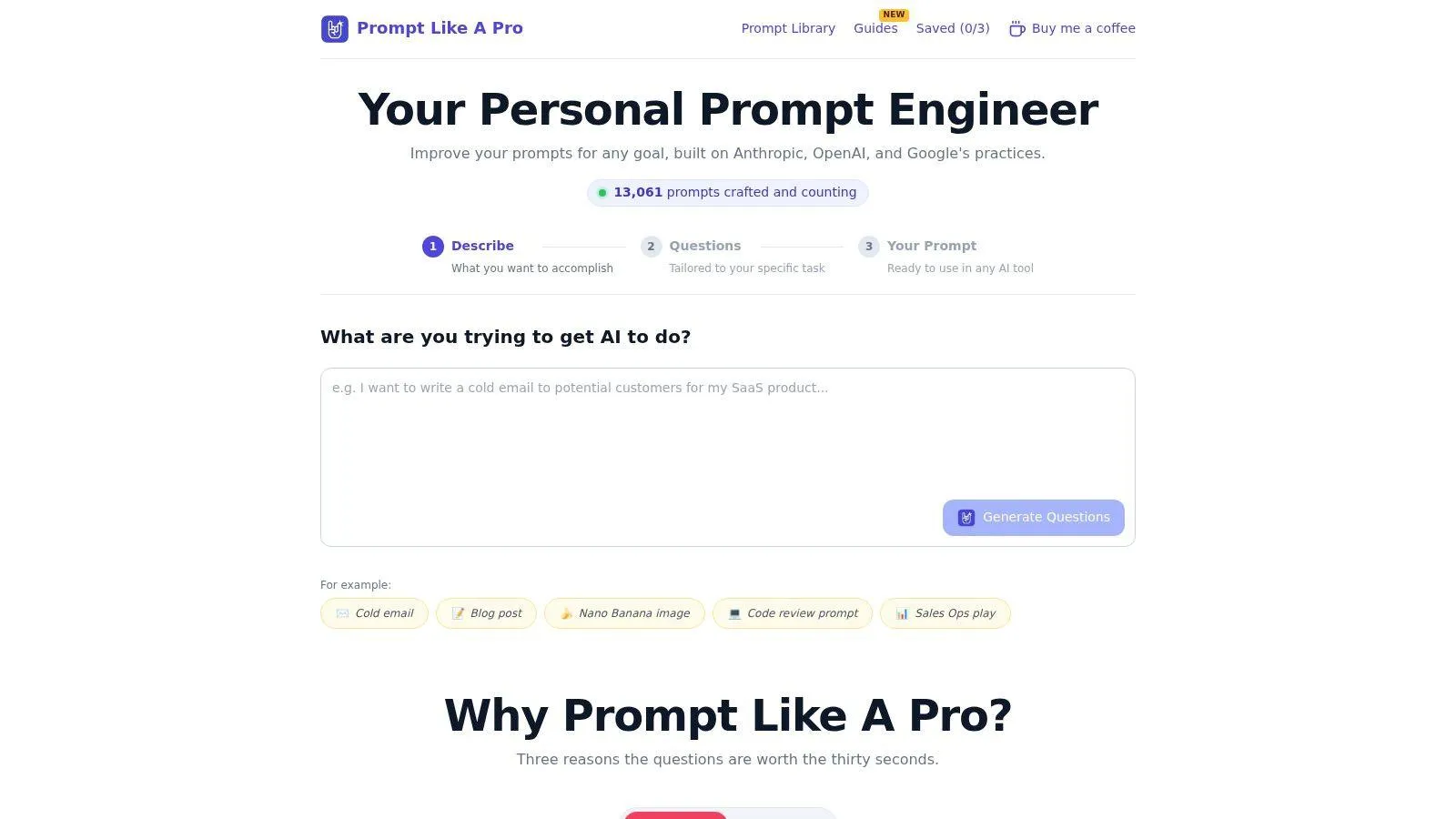
That question-first flow matters for image work because weak prompts usually fail from missing context, not from missing adjectives. The site’s own counter reports 13,061 prompts crafted and counting, and its library is public with 223 curated templates across 12 categories. Those templates matter more than the counter because readers can inspect the library directly, while the counter only shows how the product presents itself.
A practical rule helps here. If Midjourney keeps giving you bland results, start with the tool that forces you to answer the missing questions first. That usually does more than piling on style words.
It also fits the plain-English standard Orwell set out in Politics and the English Language, avoid jargon, use the short word when it works, and cut what you do not need (Orwell’s six rules). That style suits prompt writing because Midjourney tends to follow clear instruction better than inflated phrasing. The product page also points readers to a guide on AI image prompts, which helps if you want a repeatable way to shape prompts instead of writing each one from scratch.
The limit is straightforward. Saved prompts live in the browser by default, so it is not a cloud library unless you save more manually or copy prompts out yourself. That works for solo drafting and quick testing, but it is less useful if you need shared storage or a formal team workflow.
Website: Prompt Like A Pro
2. Playcut Free Midjourney Prompt Generator
Playcut suits the user who already knows the scene and just wants a clean Midjourney scaffold. You pick the subject, descriptors, environment, and style picks, then the builder assembles a prompt that mirrors how Midjourney parses comma-separated phrases.
Best for clean prompt scaffolds
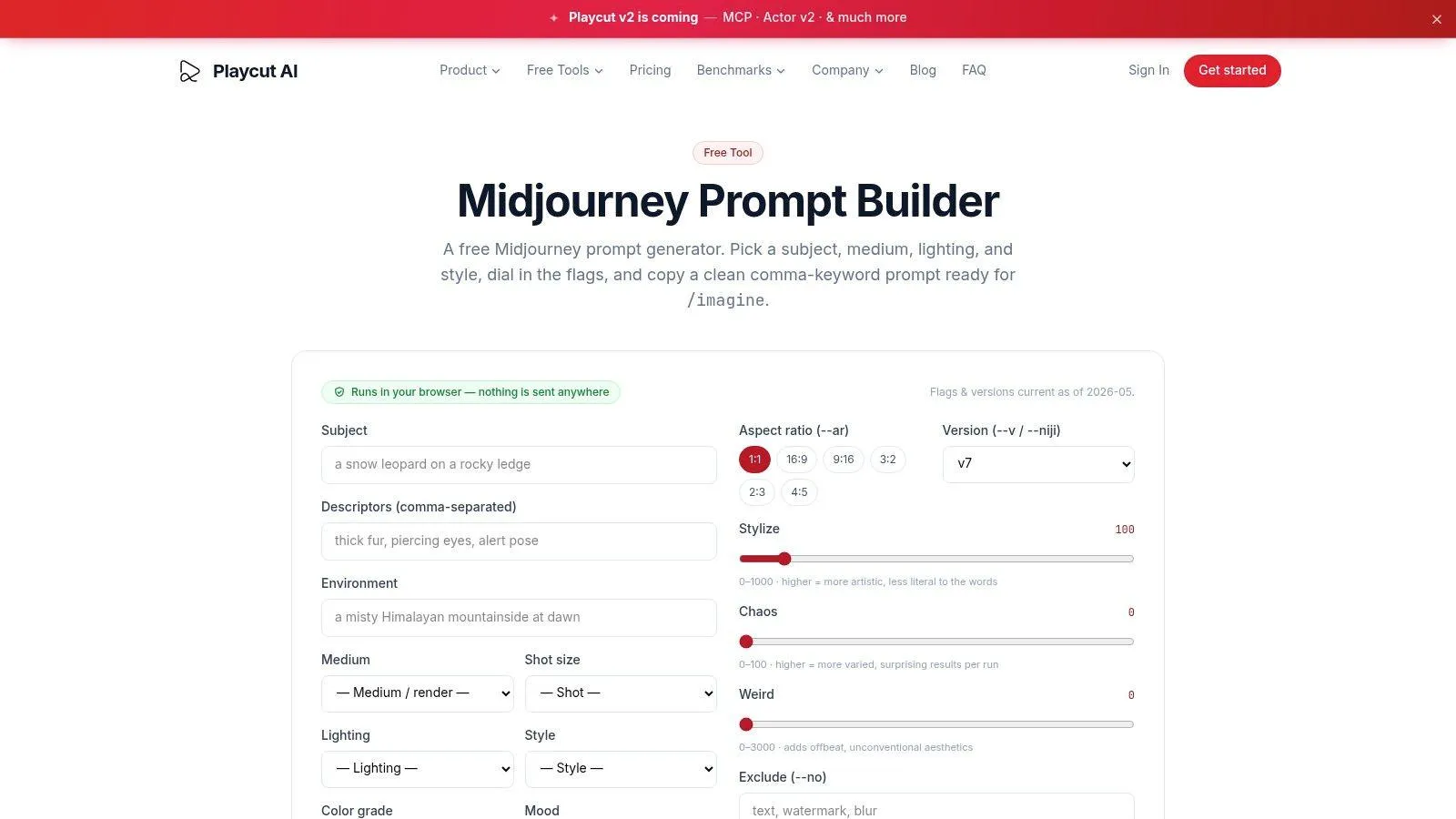
That makes it a practical choice when you don’t want the tool to invent the creative direction for you. It runs locally in the browser and doesn’t ask for signup, which keeps the workflow light and private. The trade-off is obvious. You’re still doing the creative phrasing yourself, so it won’t rescue a weak concept the way a questions-first generator can.
The interface also exposes Midjourney-style controls such as stylize, chaos, weird, aspect, and version. That’s useful because the placement rule matters, descriptive text first, parameters at the end. When you keep those roles separate, the prompt stays easier to read and easier to debug.
Best fit
- Simple prompt assembly: Good when your subject and mood are already clear.
- Privacy-first drafting: Runs locally without signup.
- Direct control: Lets you focus on Midjourney syntax instead of long rewrites.
Limit
- No AI rewrite layer: It won’t expand a rough idea into a polished visual brief.
- Version drift risk: Its parameter set can lag as Midjourney changes.
Website: Playcut Midjourney Prompt Generator
3. Reprompte Free Midjourney Prompt Generator
Reprompte is the straightforward pick for someone who wants a quick idea-to-prompt path without learning much Midjourney jargon. You describe the idea, choose a style, and copy the result. The builder also auto-adds common parameters like –ar and –stylize, with v6-flavored flags where appropriate.
Best for newcomers who want sensible defaults
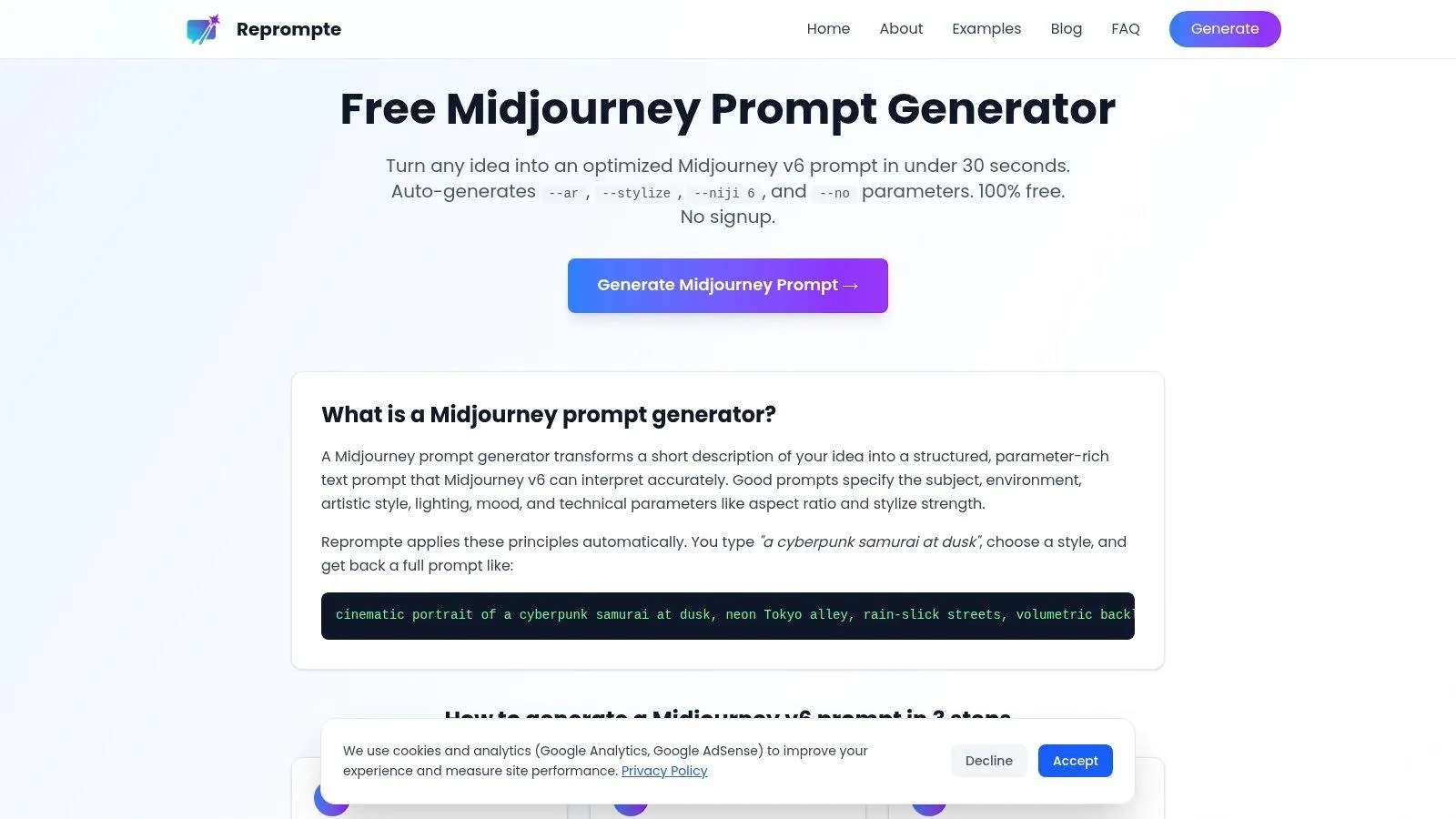
That simplicity is the point. The cheat-sheet explains major Midjourney flags, so the tool helps users stop guessing which settings belong at the end of the prompt. For a newcomer, that often matters more than having a huge control panel.
The limit is granularity. If you already know how you want to manipulate composition, reference behavior, or stylistic weight, this builder can feel thinner than a visual studio with more knobs. It’s also centered on v6 vocabulary, so anyone working across newer Midjourney habits may need manual cleanup before copying the prompt.
Use this when speed matters more than fine tuning. If you need deep control, the output is a starting point, not the final draft.
Website: Reprompte Midjourney Prompt Generator
4. AiTuts Art Prompt Generator
AiTuts is the fast draft option when you start from a short idea and want it expanded into Midjourney-friendly language. It can write prompts for multiple tools, including Midjourney, and in Midjourney mode it produces native prompt formatting and parameters.
Best for quick expansion from a short idea
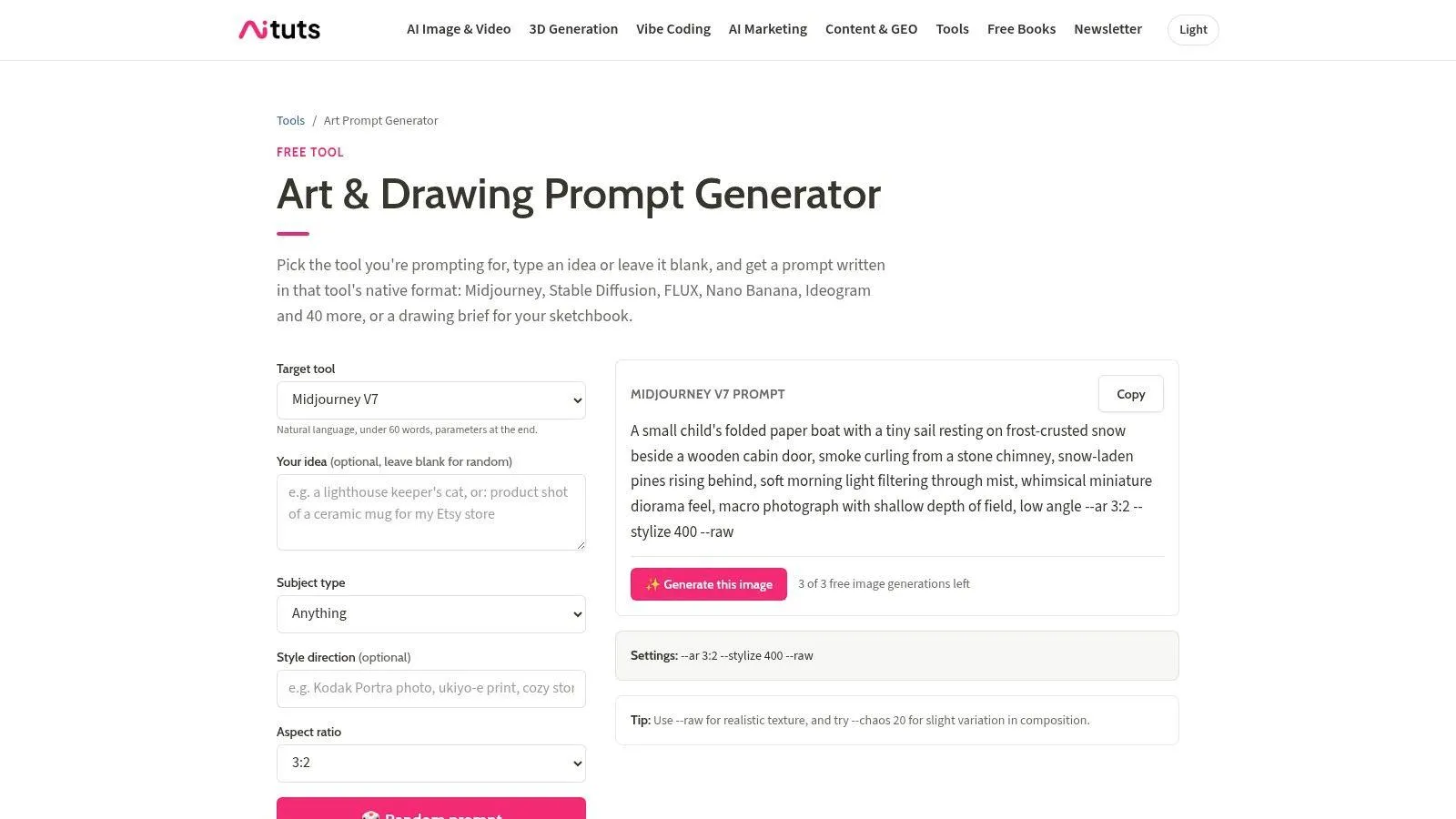
That makes it handy for beginners and for experienced users who want a rough draft before they refine by hand. It sits inside a larger educational site, so you can move from generation into examples and supporting material without leaving the ecosystem.
The weakness is predictability. If the starting input is thin, the output can be generic because the tool can only work with what you give it. It’s useful when you already know the subject and just need a cleaner composition of words, less useful when the brief is still underdefined.
The linked prompt library on Prompt Like A Pro’s design image generation page is a better companion when you want a reusable structure rather than a one-off sentence (design cinematic image generation prompts). That matters because reusable prompts usually outperform flashy rewrites over time.
Website: AiTuts Art Prompt Generator
5. Promptomania AI Prompt Builder
Promptomania makes sense when you work across more than one image model but still need Midjourney-native output. You pick the target model, browse categories like logos, portraits, or scenery, and get syntax that fits the selected model, including Midjourney versions such as v6 and v6.1.
Best for mixed-model teams
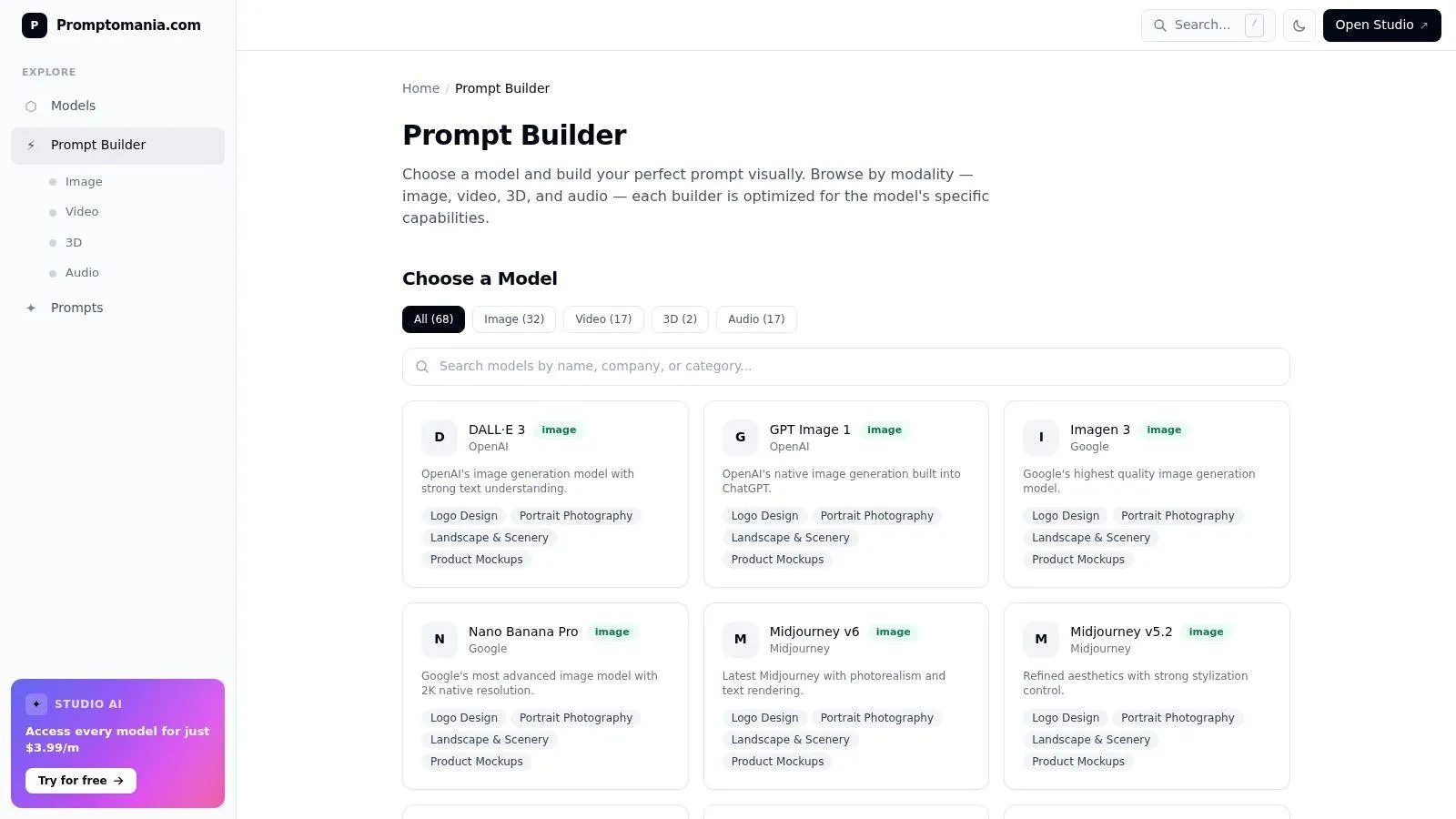
That cross-model setup is the main appeal. If your team bounces between Flux, SDXL, Ideogram, and Midjourney, the model switcher keeps the prompt dialect aligned with the target system. It’s also free and doesn’t require login, so it’s easy to test without friction.
The drawback is that breadth can come at the cost of depth. A builder that handles many models rarely goes as far into niche Midjourney control as a specialist tool does. You get the benefit of clean targeting, but not always the precision a narrower workflow offers.
Midjourney itself still cares about subject first, settings second, and parameters last. Promptomania respects that structure, which is why it works better than generic prompt toys that blur prose and controls.
Website: Promptomania Prompt Builder
6. Prompt Architect Visual Prompt Builder
Prompt Architect fits the user who wants reusable visual systems, not just a one-time prompt. It outputs native Midjourney syntax or structured JSON, and it leans into prompt cards, style systems, and a compatibility engine that helps avoid invalid combinations.
Best for reusable style systems
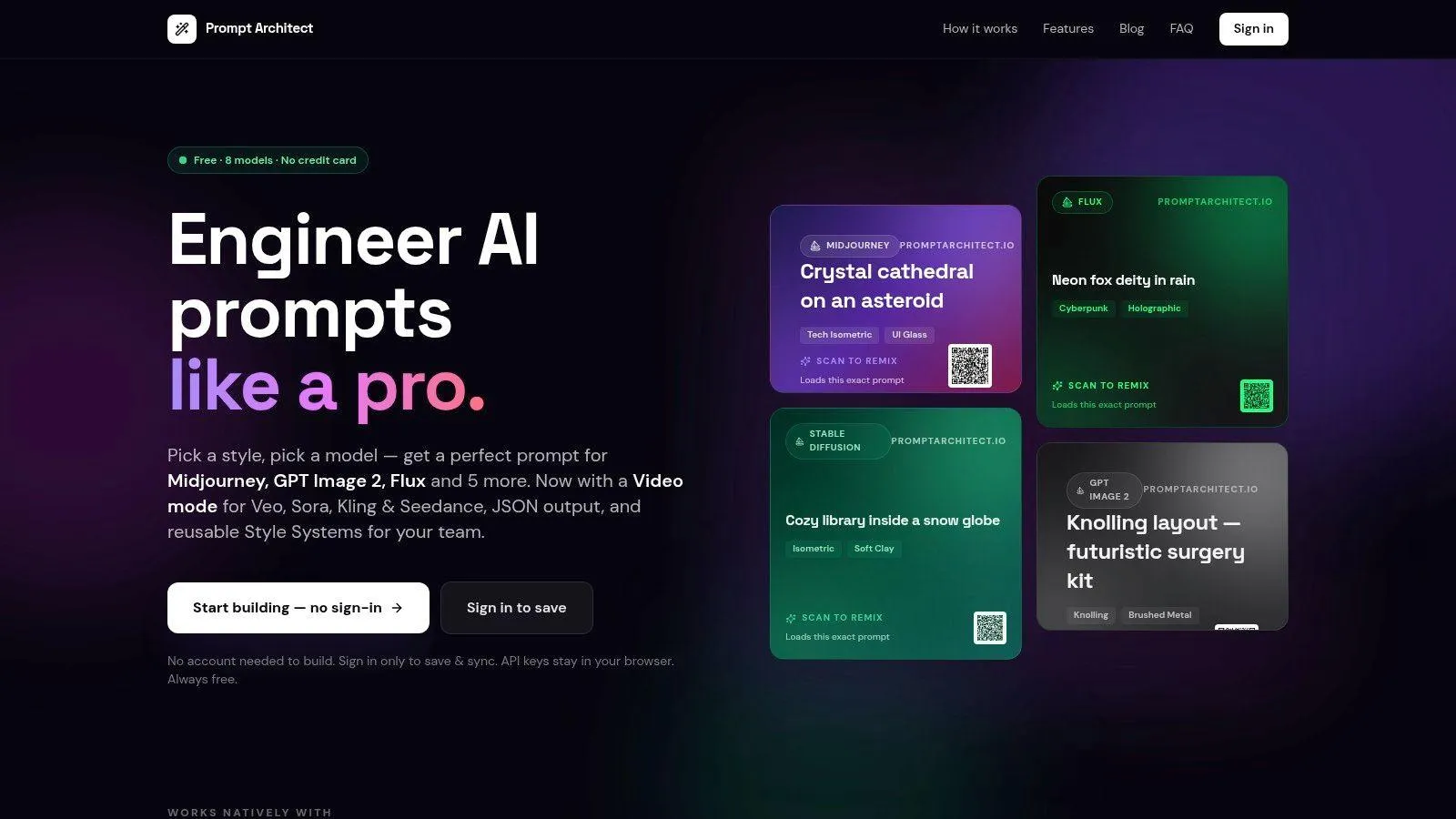
That makes it useful for brand teams and collaborators who need consistency across a batch of images. The card-based structure also makes the prompt easier to share and review than a wall of raw text. If you care about reproducibility, the JSON option is a real advantage because it treats the prompt like a structured asset.
The limit is weight. A system built for reusable cards and models can feel heavier than a simple builder when you just need a quick one-off image. It also supports Midjourney rather than living only inside it, so MJ-only users may find the interface broader than necessary.
Practical rule: If the same visual rules need to survive across multiple images, build the system once and reuse it. If not, a lighter generator is usually faster.
Website: Prompt Architect
7. PromptFolder Midjourney Prompt Helper
PromptFolder is the builder for people who want practical assembly with a mature UI. It covers a wide spread of Midjourney parameters, supports style presets and prompt weighting, and lets you save prompts for later use.
Best for prompt library work
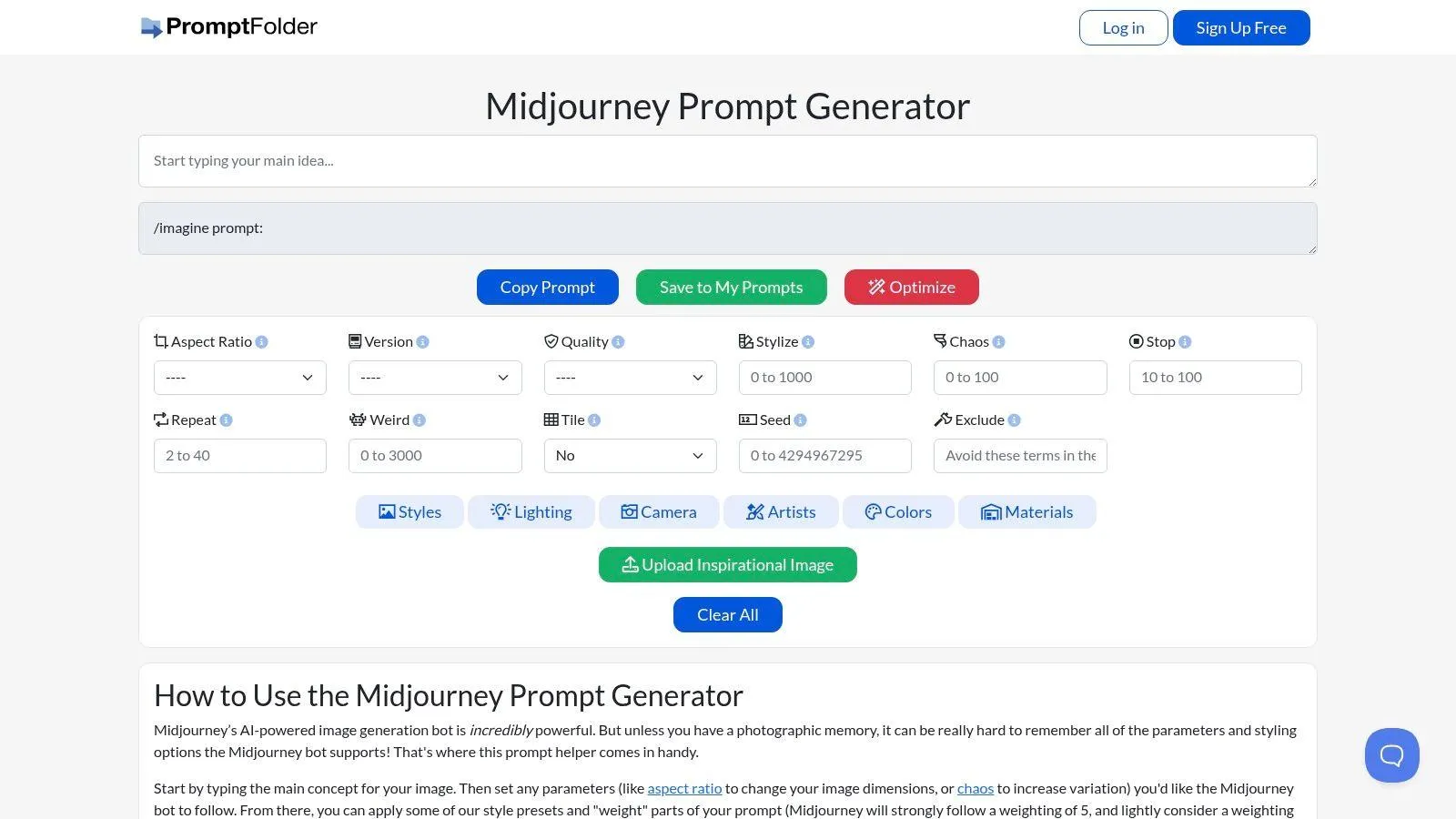
It also handles image upload to guide style and composition, which puts it in a different lane from pure text generators. That’s useful when you want Midjourney to track an existing visual direction rather than invent one from scratch. The optional AI optimization step can help tighten a built prompt, but it’s still an extra layer after the manual assembly.
The downside is account friction. Saving and some convenience features depend on a PromptFolder account, so it’s not as frictionless as browser-only tools. And since it’s not an official Midjourney product, the prompt still has to do the work inside Midjourney itself.
Website: PromptFolder Midjourney Prompt Helper
8. MrFerheng Midjourney Prompt Builder
MrFerheng is aimed at users who are moving into newer Midjourney parameter habits and want a concise builder that reflects that. It covers V8-series parameter concepts, style references, omni reference, personalization, weird, chaos, and seed, then shows a live preview as you assemble the prompt.
Best for newer parameter-led workflows
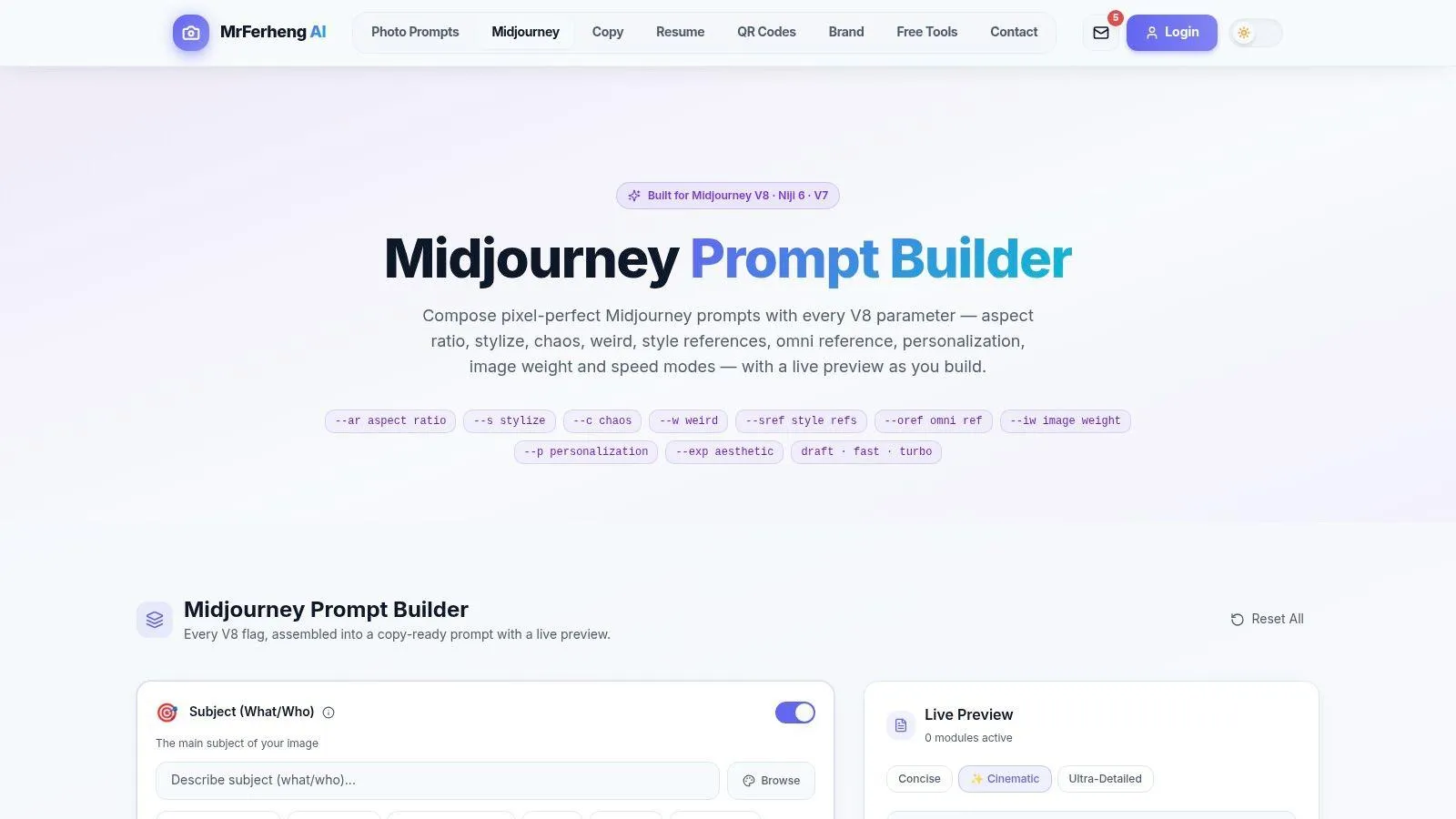
That live preview is the useful part. It gives you a way to catch structural mistakes before you copy the text into Midjourney. If you’ve been relying on older habits, the builder nudges you toward cleaner parameter discipline.
Its weakness is not the interface, it’s the surrounding content. The site can feel sparse, which means some users will want more explanation or examples than the tool itself provides. Because Midjourney changes quickly, you also have to cross-check whether a given parameter is still current for the model you’re using.
Website: MrFerheng Midjourney Prompt Builder
9. SketchValley Midjourney Prompt Generator From Image
SketchValley is the image-first option. You drop in a picture, and it reverse-engineers subject, style, lighting, palette, and composition into a Midjourney-ready prompt with editable parts.
Best for reference images
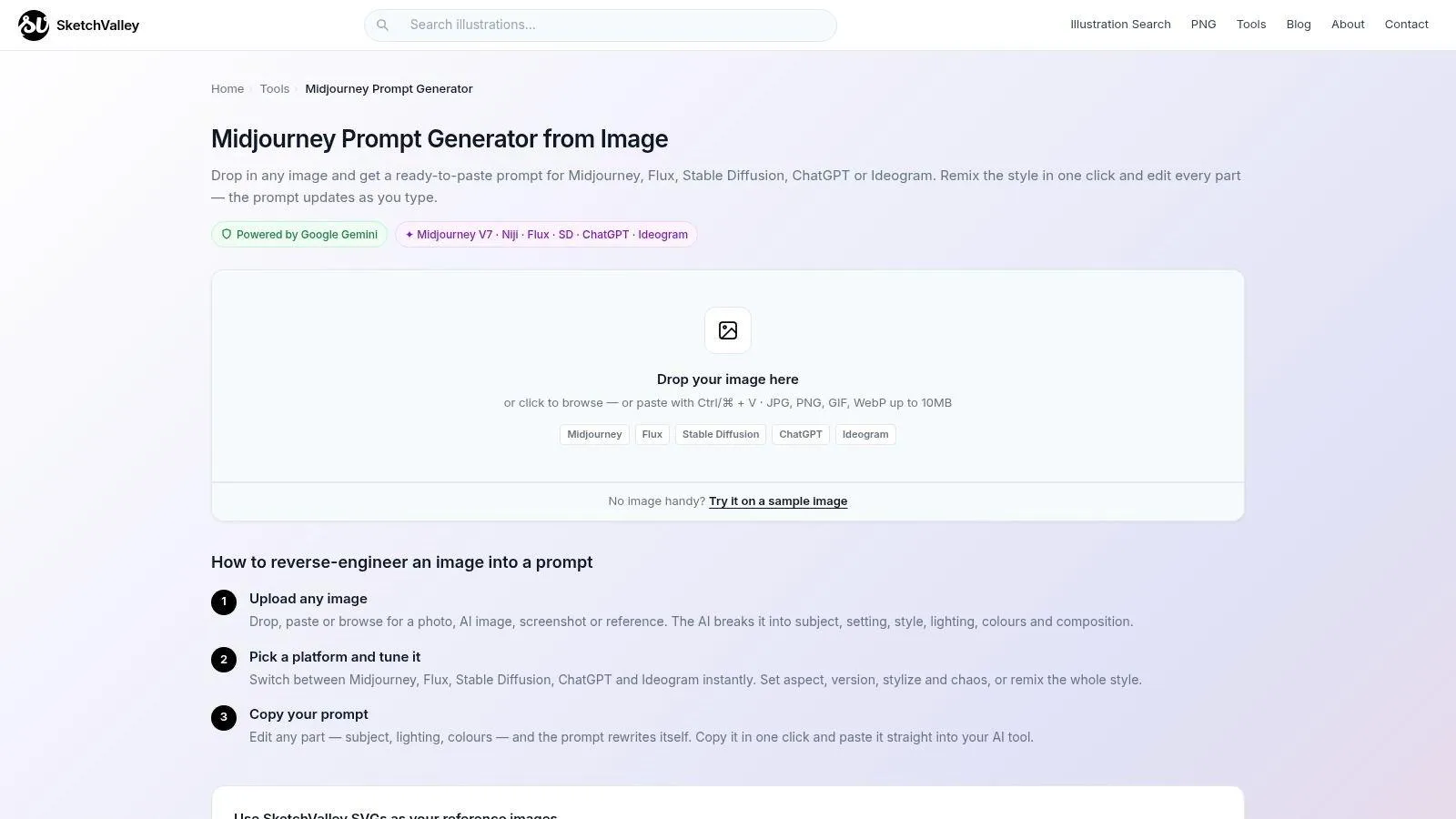
That makes it especially useful when you already have a visual direction and need a prompt that can recreate or restyle it in Midjourney. It also supports restyle options, which helps when you want to keep the subject or composition while swapping the look. The output can target model variants such as v7, v6.1, and Niji 6, which is handy if your workflow changes across Midjourney versions.
The trade-off is that it depends on external analysis, so it is not fully offline. It also won’t recreate an image exactly. You should expect iteration, because a prompt from an image is still an interpretation, not a clone.
Website: SketchValley Midjourney Prompt Generator From Image
10. VisionPrompt Midjourney Image To Prompt
VisionPrompt is another image-to-prompt path, but it adds a few adjacent tools that make it useful for cleanup work. You can upload an image or paste a URL, get a Midjourney-ready prompt, and then use the prompt analyzer, rewriter, or negative prompt generator if the draft needs more control.
Best for quick image translation and cleanup
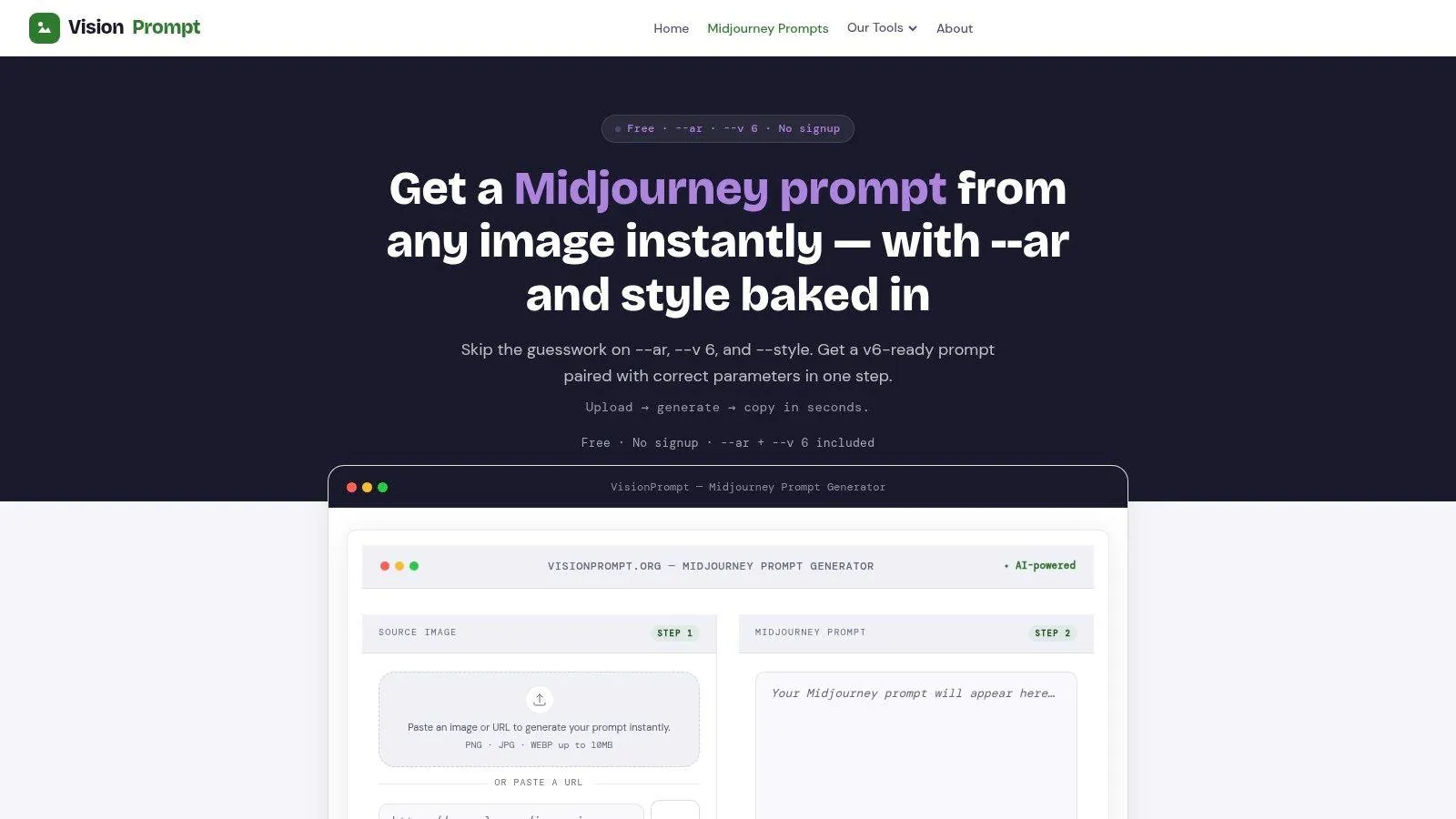
That combination helps when the visual exists but the prompt still needs tightening. It also supports multiple model dialects, which gives it a broader use case than a single Midjourney-only translator. For quick parametered outputs from images, it does the job.
The weakness is polish. The Midjourney generator UI is fairly basic, so it won’t feel as refined as a dedicated builder with deeper visual controls. It also leans on v6-centric phrasing, so newer Midjourney behavior may need a manual edit before you trust the output.
Website: VisionPrompt Midjourney Image To Prompt
Top 10 Midjourney Prompt Generators, Feature Comparison
| Tool | Core features | UX & reliability (★) | Value & Pricing | Target audience | Unique strengths |
|---|---|---|---|---|---|
| Prompt Like A Pro | Questions-first interview (5–7 Qs); model-aware structured prompts; 223-prompt library; local saves | ★★★★☆, consistent, model-aware outputs | Free, ad-free; 3 local saves, one‑time $7 unlock | Writers, marketers, devs, power users, cross‑model users | Interview-first workflow + model dialects; privacy-first, no signup |
| Playcut, Free Midjourney Prompt Generator | Visual pickers (subject, descriptors, medium); sliders/toggles; MJ param output; runs locally | ★★★★☆, minimal, predictable scaffolds | Free, local-only | Midjourney users wanting clean keyword scaffolds | Mirrors MJ parsing with clean comma-keyword prompts |
| Reprompte, v6-optimized | Text→MJ workflow; auto-adds MJ flags (–ar, –stylize, v6); cheat-sheet included | ★★★★☆, great defaults for newcomers | Free, no stated limits | Newcomers to Midjourney seeking sensible defaults | v6-optimized defaults + cheat-sheet |
| AiTuts, Art Prompt Generator (MJ mode) | Tool-dialect outputs; AI expands short ideas to MJ-ready prompts | ★★★☆☆, fast, but can be generic | Free | Beginners, students, quick-draft users | Part of educational hub; quick idea expansion |
| Promptomania, AI Prompt Builder | Cross-model visual builder; model-specific templates; category/style browsing | ★★★★☆, good for mixed-model workflows | Free (occasional upsell banners) | Teams/persons using multiple image models | Multi-model templates and category hints |
| Prompt Architect, Visual prompt builder | Cards-oriented studio; JSON/text output; shareable Prompt Cards; style systems | ★★★★☆, strong for collaboration & reproducibility | Free to build; sign-in to sync/save | Teams, brands, power users needing consistency | Prompt Cards + JSON mode for reproducible batches |
| PromptFolder, Midjourney Prompt Helper | Full MJ parameter coverage; image upload; presets; save/organize; optional AI optimize | ★★★★☆, mature, practical UI | Free builder; account needed for advanced saves | Power users managing prompt libraries & refs | Image refs, weighting and optional AI optimization |
| MrFerheng, Midjourney Prompt Builder (V8) | V8-parameter support (stylize, chaos, refs); live preview; in-tool guidance | ★★★★☆, focused, parameter-first UX | Free | Users transitioning to V8+ workflows | V8-focused controls with live preview |
| SketchValley, Image→Prompt | Reverse-engineers images to MJ prompts; restyle options; model switching | ★★★★☆, efficient for reference-based work | Free (uses external model for analysis) | Users with visual references wanting MJ restyles | Image reverse-engineering + one-click restyle |
| VisionPrompt, Midjourney Image-to-Prompt | Upload image → MJ-ready prompt; model dialects; analyzer/rewriter/negative prompt tools | ★★★☆☆, fast but basic UI | Free | Quick image→MJ prompt use and refinement | Includes prompt analyzer, rewriter & negative-gen utilities |
Match Each Tool to Your Starting Point
Start with the input you already have. If it’s a rough idea, a question-first tool gives you the fastest route to a usable Midjourney prompt because it fills in the missing subject, mood, and constraints before it writes. If you already have a reference image, image-to-prompt tools are the better fit because they can recover composition, palette, and style from the visual you trust. If you have a draft that’s almost right, a structured builder or prompt helper is usually the best choice because it keeps the syntax clean while you adjust the parts that matter most.
The common mistake is choosing by name instead of by job. A tool that sounds powerful may still be weak at your specific input type, and a minimal builder may be perfect if you already know the scene. Midjourney itself rewards clear separation between the descriptive brief and the parameter layer, so tools that respect that split usually feel easier to control. Tools that blur those layers can still be useful, but they take more cleanup.
Orwell’s plain-language advice applies here too. Use the shortest word that says what you mean, cut the extras, and keep the instruction active and direct. In prompt work, that usually means writing what you want the image to become, not narrating how the image should be discussed.
A good habit is to test the same subject in two tools and note which parameters changed the result.
Ready-made prompts for this
Build yours with the wizard
Prompt Like A Pro asks a few questions about your task, then writes a complete prompt for ChatGPT, Claude or Gemini. Free, no signup.
Make a prompt →Read next
8 Prompt Engineering Examples That Work
Eight prompt engineering examples, from chain-of-thought to dynamic assembly, with what each solves, a usable prompt, and when to avoid it.
Read the guide →