
AI Image Prompts: Ready-to-Use Examples for Every Style
A good AI image prompt names the subject, the style, the composition, and the lighting, in that order, then tells the model what to leave out. Below are ready-to-copy prompts for photography, portraits, illustration, landscapes, products, and fantasy art, plus the syntax differences between Midjourney, DALL-E, and Stable Diffusion that decide whether a prompt works at all.
Table of Contents
- How to Write an AI Image Prompt That Works
- Midjourney vs DALL-E vs Stable Diffusion Prompt Syntax
- Ready-to-Copy AI Image Prompts by Style
- Which AI Image Generator Should You Use
- Turning a Rough Idea Into a Full Prompt
- Common Mistakes That Ruin AI Image Prompts
How to Write an AI Image Prompt That Works
Most disappointing AI images trace back to a one-line prompt: a subject with no style, no composition, and no lighting attached to it. The model fills in every gap you leave, and it rarely fills them in the way you pictured.
The Five-Part Prompt Formula
LanguageTool’s prompt guide recommends describing the subject and setting in detail, choosing a style or medium, adding composition notes such as aspect ratio and perspective, working in negative cues for what to exclude, and then iterating. LanguageTool’s AI image prompt guide Adobe’s Firefly team frames the same idea as a template: style, subject, composition or angle, lighting, color palette, and mood, in that order. Adobe Firefly’s prompt examples
Put together, that gives you a repeatable shape:
[Style] image of [subject and action], [setting], [composition/angle], [lighting], [color palette], [mood]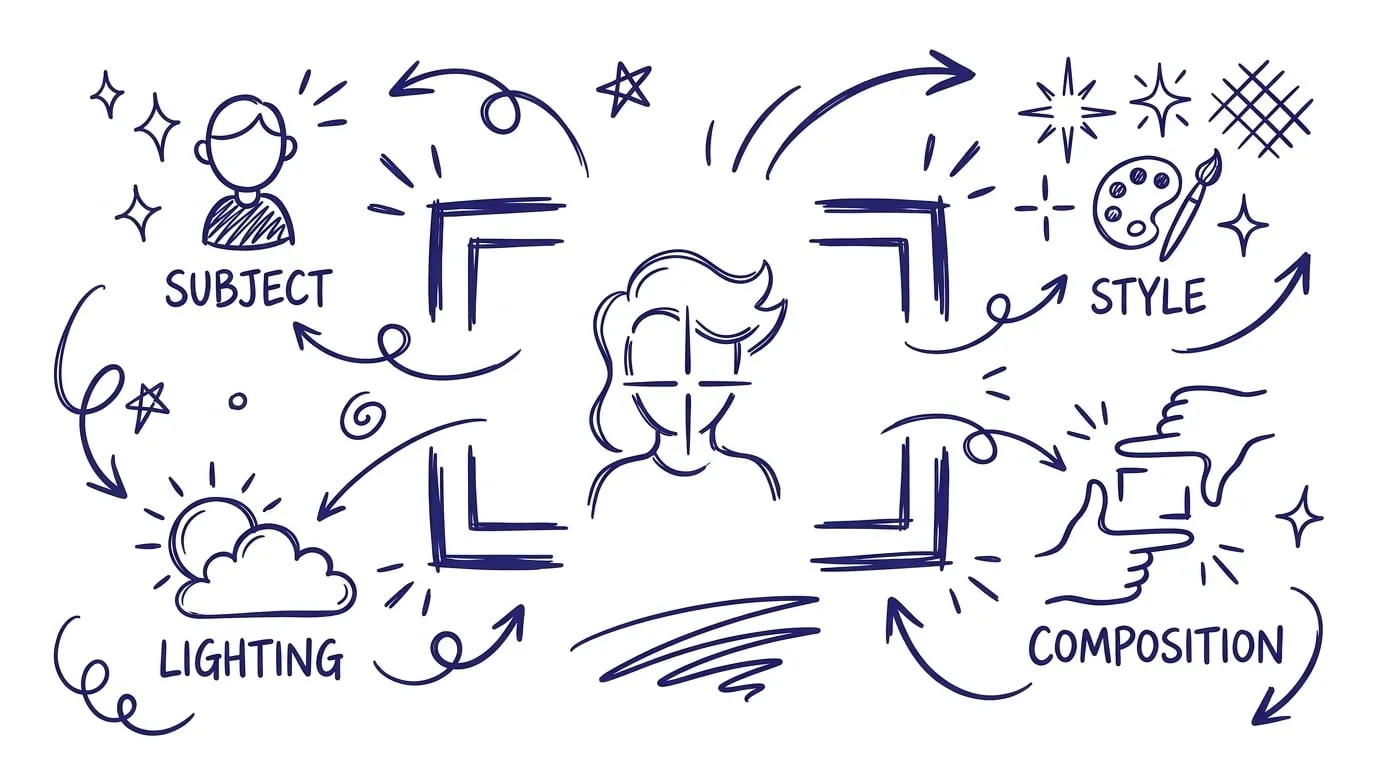
A worked example: “Photorealistic image of an elderly potter shaping clay, sunlit workshop window behind him, low-angle three-quarter shot, warm golden-hour light, terracotta and cream palette, quiet and focused mood.” Every clause earns its place. Cut any of them and the model guesses.
What to Leave Out With Negative Prompts
Specificity works in both directions. Naming what you want narrows the output; naming what you don’t want narrows it further. Common negative cues are “no text,” “no watermark,” “no extra limbs,” “not cropped,” and “no blur.” Stable Diffusion has a dedicated negative-prompt field for this; Midjourney takes it as a --no parameter; DALL-E has no negative-prompt mechanism at all, so you have to fold the exclusion into the main sentence instead (“clean background with no signage”).
Adobe’s own advice is to change one element at a time and compare results, rather than rewriting the whole prompt each round. Adobe Firefly’s prompt examples That’s slower than it sounds tempting to skip, but it’s the only way to learn which clause actually moved the image.
Midjourney vs DALL-E vs Stable Diffusion Prompt Syntax
The same prompt produces different results, and sometimes fails outright, depending on which tool reads it. Midjourney and Stable Diffusion use tag-style syntax with dedicated controls; DALL-E (and GPT-4o’s image generation, which now handles image requests inside ChatGPT) reads prompts as plain, conversational sentences instead. Prompt syntax comparison, imagetoprompt.dev
| Tool | Prompt style | Aspect ratio | Negative prompts | Emphasis |
|---|---|---|---|---|
| Midjourney | Comma-separated tags + -- parameters |
--ar 16:9 flag |
--no flag |
:: weighting between terms |
| Stable Diffusion | Comma-separated tags, separate negative field | Set in generation settings, not the prompt | Dedicated negative-prompt box | (term:1.4) boosts, [term:0.7] reduces |
| DALL-E / GPT-4o image generation | Full natural-language sentences | Described in words (“a wide landscape shot”) | None — describe the opposite instead | Word order and repetition only |
Practical takeaway: a Midjourney prompt like neon-lit alley, rain-soaked pavement, cinematic --ar 21:9 --no cars needs rewriting for DALL-E as a sentence: “A neon-lit alley with rain-soaked pavement in a cinematic wide shot, with no cars in view.” Copy a Midjourney-style prompt straight into ChatGPT and the dashes and flags just get treated as literal words.
Ready-to-Copy AI Image Prompts by Style
Each set below covers a different use case. Swap the bracketed details for your own subject, keep the structural clauses around them, and add --ar, weighting, or a negative-prompt field to match whichever tool you’re using.
Realistic Photography Prompts
Realistic prompts lean hardest on camera language: lens, aperture, and light source do more work than adjectives like “beautiful” or “stunning” ever will.
Photorealistic close-up of [subject], shot on a 50mm lens at f/1.8 for shallow depth of field, soft window light from the left, muted natural color grade, no text or watermark.Documentary-style photo of [scene], available light only, slight motion blur on moving elements, desaturated color, candid framing, not posed.Portrait Prompts
Portraits fail most often on the eyes and hands, so naming the expression and pose directly, rather than leaving them implied, cuts down on retries.
Realistic studio headshot of [person description], neutral gray background, three-point lighting, direct eye contact, relaxed closed-mouth smile, shot on an 85mm portrait lens.Renaissance-style oil painting portrait of [subject], dramatic chiaroscuro lighting, muted earth-tone palette, ornate period clothing, three-quarter pose.Illustration and Art-Style Prompts
Naming a specific movement or medium (not just “artistic”) is what actually changes the render. “Cubist” and “Art Nouveau” produce visibly different geometry and line work; “artistic” produces a coin flip.
Flat-color illustration of [subject] in the style of a modern children's book, clean thick outlines, warm pastel palette, simple rounded shapes, no gradients.Art Nouveau poster design of [subject], flowing organic linework, muted gold and teal palette, decorative floral border, symmetrical composition.Landscape and Environment Prompts
Time of day and weather do more to set mood than any style word. Naming the hour, not just “daytime,” pins down the light.
Wide-angle photorealistic landscape of [location], golden hour lighting with long shadows, light mist in the low ground, warm amber and violet sky, no people.Cyberpunk street scene at night, neon signage reflected in rain-soaked pavement, dense fog, teal and magenta color grade, cinematic wide shot.Product and Branding Prompts
Product shots need a clean, named background and a light source you can describe in one phrase, or the model defaults to a generic gradient that looks like every other AI product photo.
Studio product photo of [product] on a matte white surface, soft diffused overhead lighting, subtle drop shadow, minimal negative space, no props, no text.Flat lay of [product] surrounded by [2-3 relevant props], top-down angle, natural window light, muted neutral palette, styled for a social media post.Fantasy and Sci-Fi Prompts
This is where camera and lighting language pays off most: “cinematic” alone is vague, but naming a lens, a light source, and a color grade turns a fantasy scene into something that reads as a single, considered shot rather than a collage of tropes. For prompts this detailed, a structured framework helps more than trial and error — the library’s design cinematic image generation prompts entry walks through camera specs, lighting setup, and color grade step by step.
A lone traveler crossing a bridge between floating islands, dusk sky with two moons, volumetric light through clouds, teal-and-orange color grade, wide establishing shot, --ar 21:9.Underwater ruins of a forgotten city, bioluminescent plants lighting the scene from below, shafts of light from the surface, muted blue-green palette, low-angle shot.
Abstract and Conceptual Prompts
Abstract prompts still need a structure, just not a literal subject. Name the shapes, the motion, and the palette instead of a scene.
Abstract composition of flowing ink swirls in indigo and gold, high contrast on a white background, sense of motion, no recognizable objects.Conceptual illustration representing [idea, e.g. "growth"], layered geometric shapes building upward, gradient from muted gray to bright color, minimalist style.If you want more structured control over the visual language rather than working from a fixed template, the library’s design cinematic visual generation prompts entry builds a full prompt from a scene concept, target aesthetic, and camera preferences.
Which AI Image Generator Should You Use
There’s no single best tool — the four leading platforms split user preference fairly evenly, and the tool that suits a quick social graphic isn’t the one suited to a fine-controlled product render.
| Midjourney | 26.8% |
|---|---|
| DALL-E / GPT-4o | 24.4% |
| NightCafe | 23.2% |
| Stable Diffusion | 15.1% |
Those four platforms hold over 89% of user preference between them, according to the same report. SQ Magazine’s AI image generation statistics The preference numbers undersell Stable Diffusion’s reach, though — its open architecture underpins an estimated 80% of AI images generated worldwide once you count the apps and services built on top of it, rather than people using the Stable Diffusion interface directly. SQ Magazine’s AI image generation statistics
DALL-E itself has effectively been retired inside ChatGPT: OpenAI replaced it with GPT-4o’s native image generation in March 2025, which reportedly produced over 700 million images in its first week live. Morphed’s DALL-E statistics If you’re prompting inside ChatGPT today, you’re writing for GPT-4o’s conversational style even if you still call it “DALL-E” prompting out of habit.
A rough guide to picking one: Midjourney for stylized, cinematic images with the most prompt-level control over composition; GPT-4o’s image generation inside ChatGPT for fast, natural-language requests and accurate text-in-image; Stable Diffusion (or an app built on it) when you need to run locally, fine-tune on your own images, or get exact reproducibility from a seed.
Turning a Rough Idea Into a Full Prompt
Most of the prompts above still need adapting to your actual subject, and turning “a dragon over a city” into a full five-part prompt is the part people skip. Prompt Like A Pro is a free, no-signup prompt generator that asks a few clarifying questions about the image you’re picturing, then writes a complete, structured prompt from scratch. It’s built for text prompts generally, but the resulting prompt works with Midjourney, DALL-E, Gemini’s image tools, and other AI generators — you paste in the finished text and add whatever tool-specific flags (--ar, weighting, a negative-prompt field) that platform expects. Nothing you type is stored on its servers.
If you’d rather browse finished prompts than build one from a blank page, the Prompt Library has ready-to-use entries across 12 categories that you can copy directly or customize in the generator.
Common Mistakes That Ruin AI Image Prompts
- Stacking style words instead of naming one. “Beautiful, stunning, epic, amazing” tells the model nothing concrete; “Art Nouveau poster” does.
- Skipping lighting. A prompt with no light source defaults to flat, even lighting that looks noticeably synthetic.
- Copying Midjourney syntax into a conversational tool.
--arand::weighting are literal text to DALL-E and GPT-4o’s image generation — describe the ratio and emphasis in words instead. - Changing five things at once. If a result is close but wrong, adjust one clause (light, angle, or palette) and regenerate, rather than rewriting the whole prompt.
- Forgetting the negative cues. “No text, no watermark, no extra limbs” costs one clause and removes the most common AI-image tells.
Prompt Like A Pro turns a rough idea like “a portrait for my website” into a complete, structured image prompt by asking a few questions about the subject, style, and mood first, so you’re not starting from a blank line or guessing which clauses matter. Try it at Prompt Like A Pro.
Build yours with the wizard
Prompt Like A Pro asks a few questions about your task, then writes a complete prompt for ChatGPT, Claude or Gemini. Free, no signup.
Make a prompt →