
Writing Emails for Business: Clear Rules That Get Replies
Nearly all workers use email daily, and about nine in ten IT leaders call one-to-one email critical to business operations, so clarity is the business skill here. If your inbox feels like a live feed of every project, that’s because it is.
I’ve watched strong ideas die in badly written emails. The fix usually isn’t more polish, it’s less noise, fewer weak words, and a cleaner ask.
Table of Contents
- Why Business Email Still Controls Your Workday
- Applying Plain Language Rules to Business Email
- Subject Lines, Structure, Tone, and Timing Choices
- How to Use AI for Drafting Without Losing Trust
- Copy-Ready Business Email Templates
- Final Checklist and Habits for Clearer Replies
Why Business Email Still Controls Your Workday
Your morning inbox usually opens like a running commentary on unfinished work. One thread wants approval, another needs a file, a third is a reply-all you didn’t ask for, and somewhere in the middle sits the one message that moves the week forward.
That is the reality of writing emails for business. A workplace survey reported that nearly all workers use email daily, more than one-third said it is essential to their job, and nearly half said it helps them do their job better, while a business-focused summary said 89% of IT leaders rank one-to-one email as critical to business operations and 48% of organizations use email for more than half of internal and external communication, according to the ACM overview of business email. ACM’s overview of business email
Email is the operating system of work
The volume is what makes this unavoidable. One industry summary estimated 319.6 billion emails were sent and received worldwide each day in 2021, and another summary said an employee sends 40 emails a day on average and receives three times that many. Global email volume and workplace traffic
Practical rule: if your message has to survive a crowded inbox, every extra word works against you.
That’s why weak email doesn’t just look sloppy, it burns time. It creates follow-up threads, more clarification, and more back-and-forth for everyone involved. Clear email saves attention because the reader can understand the purpose, the ask, and the deadline in one pass.
This is also why email etiquette hardened into simple norms over time. By around 2000, common expectations had already settled around clear subject lines, concise writing, first-sentence purpose statements, proper grammar, limited CC use, and responses within 24 hours, as noted in the email etiquette overview above. The old lessons still hold because the environment hasn’t become gentler.
Applying Plain Language Rules to Business Email
George Orwell’s plain-writing rules are useful because they force decisions. They tell you to avoid stale metaphors, prefer short words, cut unnecessary words, use the active voice, replace jargon or foreign terms with everyday English, and break the rules when following them would make the writing outright barbarous. Orwell’s essay on clear prose
Turn every draft into a clean edit
Use those rules as an editing pass, not a theory lesson. Read each sentence and ask four things: what is the action, who owns it, when does it happen, and can I say it with fewer words?
A weak email often sounds polite but hides the ask. A better one names the action and the deadline.
| Intent | Weak Example | Strong Example |
|---|---|---|
| Request | We would like to kindly request that you review the attached documentation at your earliest convenience and provide any feedback. | Please review the attached document and send feedback by Friday. |
| Update | I’m reaching out to provide you with an update regarding the status of the project. | The project is on track, and I’ll send the draft tomorrow. |
| Decline | Unfortunately, due to prior commitments, I may not be able to attend. | I can’t attend the meeting, but I’m happy to review the notes. |
The second version in each row works better because it removes soft padding. It also gives the reader a real decision instead of a foggy request.
Remove the three biggest clutter traps
Most bad email comes from the same habits. People stack polite phrases, bury the point, and hide the due date because they don’t want to sound direct. That usually produces the opposite result, the reader has to decode the message before acting on it.
Short words win because the reader is busy, not because the writer is lazy.
Keep an eye on vague time phrases like “as soon as possible,” “when you get a chance,” and “at your earliest convenience.” If there’s a real deadline, name it. If there isn’t one, decide whether the message needs sending.
For a fast rewrite workflow, I keep a simple tool in the mix when drafting rough notes into cleaner copy, and one option is the Prompt Like A Pro prompt library entry for turning rough notes into a clear email: turn rough notes into a clear email. The point isn’t automation for its own sake, it’s getting a cleaner first pass so the human edit can focus on judgment.
Subject Lines, Structure, Tone, and Timing Choices
A good subject line tells the reader what the message is and why it matters now. “Budget approval needed by Wednesday” is useful. “Question about the project” is not.
Use a simple email shape every time
The structure can stay consistent even when the topic changes. Start with one sentence that states the purpose. Add context only if the reader needs it to act. Then name the action, and attach the deadline if there is one.
That keeps the email from becoming a mini memo. It also reduces the chance that your real ask gets lost in the setup.
Tone matters just as much. Calm, specific language usually works better than emotional hedging or passive blame. “The report needs one more pass before it goes to the client” is steadier than “I just think maybe there might still be some issues.”
Match the message to the moment
Timing also changes the odds of a reply. A large analysis of cold emails found an average response rate of 5.8%, and the cited 2025 campaign set in that analysis showed morning sends, 8 AM to 12 PM, performed best at 0.54% reply rate. The same analysis showed smaller firms replied at 0.49% versus 0.22% for enterprises with 10,000+ employees, so relevance and targeting still matter more than volume. Cold email response rates
| 11–50 employees | 0.49% |
|---|---|
| 10,000+ employees | 0.22% |
For everyday business email, that means a few practical choices beat cleverness:
- Write subject lines that name the task: “Client deck review for Tuesday” beats “Quick question.”
- Keep greetings short: a long opening slows the reader before the actual point arrives.
- Put the ask near the top: if the request sits in paragraph four, expect delay.
- Use a deadline only when one exists: vague urgency makes you look unsure.
Common subject-line formats that hold up
| Intent | Weak Example | Strong Example |
|---|---|---|
| Update | Project status | Project status for Thursday review |
| Request | Need help | Approval needed for invoice this week |
| Decline | Re your note | Can’t attend Friday, notes attached |
A subject line is not decoration. It’s the first filter the reader uses to decide whether your message deserves immediate attention.
How to Use AI for Drafting Without Losing Trust
AI has become part of normal workplace writing, but trust is fragile. More than 75% of professionals use AI in daily work, while another survey found 73% of respondents feel reliant on AI and 25% struggle to write basic emails without it, according to recent reporting on workplace writing habits. AI in workplace writing
Draft fast, then edit like a human
The mistake is not using AI. The mistake is sending the first draft without checking whether it still sounds like a person who knows the relationship, the facts, and the ask.
Use this review order every time:
- Verify names, dates, and attachments.
- Replace generic praise with specific context.
- Strip out over-polished phrases that sound corporate.
- Check that the action requested is unambiguous.
That sequence keeps the message credible. It also stops AI from flattening your voice into polite mush.
A lot of AI writing fails because it sounds too smooth. Recipients notice that feeling quickly, especially in client-facing or manager-to-team emails. When the wording sounds mass-produced, the reader starts doubting whether the sender actually understands the situation.
Trust drops when the email feels assembled, not written.
AI can help with structure, rewrite options, and first drafts. Humans still have to own tone, accountability, and judgment. If the email involves a commitment, a deadline, or a decision, the final version should read like someone is standing behind it.
For teams that want a cleaner starting point, another useful option is a structured prompt workflow that removes AI writing patterns and restores voice before the draft is sent, which is exactly the kind of task Prompt Like A Pro’s prompt library supports through its email-focused prompts and guided question flow. Its prompt library also includes ready-to-use prompts that can be adapted for business email drafting when you need a more disciplined first pass: remove AI writing patterns and add voice.

Copy-Ready Business Email Templates
Templates are useful when they remove hesitation without removing judgment. The best ones keep the language simple, make the action obvious, and leave room for real details where they belong.
Request for action
Hi Sam,
Please review the attached draft and send your comments by Thursday afternoon. If you’d rather mark it up live, I can make time tomorrow between 2 and 4.
Thanks,
Maya
Status update
Hi team,
The revised proposal is ready, and I’ve sent it to legal for final review. I’ll share the next version as soon as I get feedback.
Best,
Jordan
Meeting confirmation
Hi Elena,
I’m confirming our meeting for Wednesday at 10 a.m. If that time changes, send me a different slot and I’ll adjust the invite.
Thanks,
Priya
Polite decline
Hi Daniel,
I can’t join the session on Friday, but I’ve reviewed the agenda and it looks solid. Please send the notes afterward, and I’ll catch up on anything I need to follow.
Best,
Chris
Follow-up
Hi Ana,
I’m following up on the contract draft I sent last week. If you’re ready, please send your approval or note any changes by end of day.
Regards,
Lena
Each template follows the same pattern. The first line states the purpose, the middle line adds only the context needed, and the last line makes the next action easy.
Personalize the names, dates, and one concrete detail. Leave the rest alone unless the situation demands more. Decorative closings, long apologies, and extra background usually make the email worse, not better.
Final Checklist and Habits for Clearer Replies
Bad email usually fails in the same places. The subject line is vague, the request sits too low, or the writer wraps the point in polite over-explanation. That wastes time for everyone who has to read it.
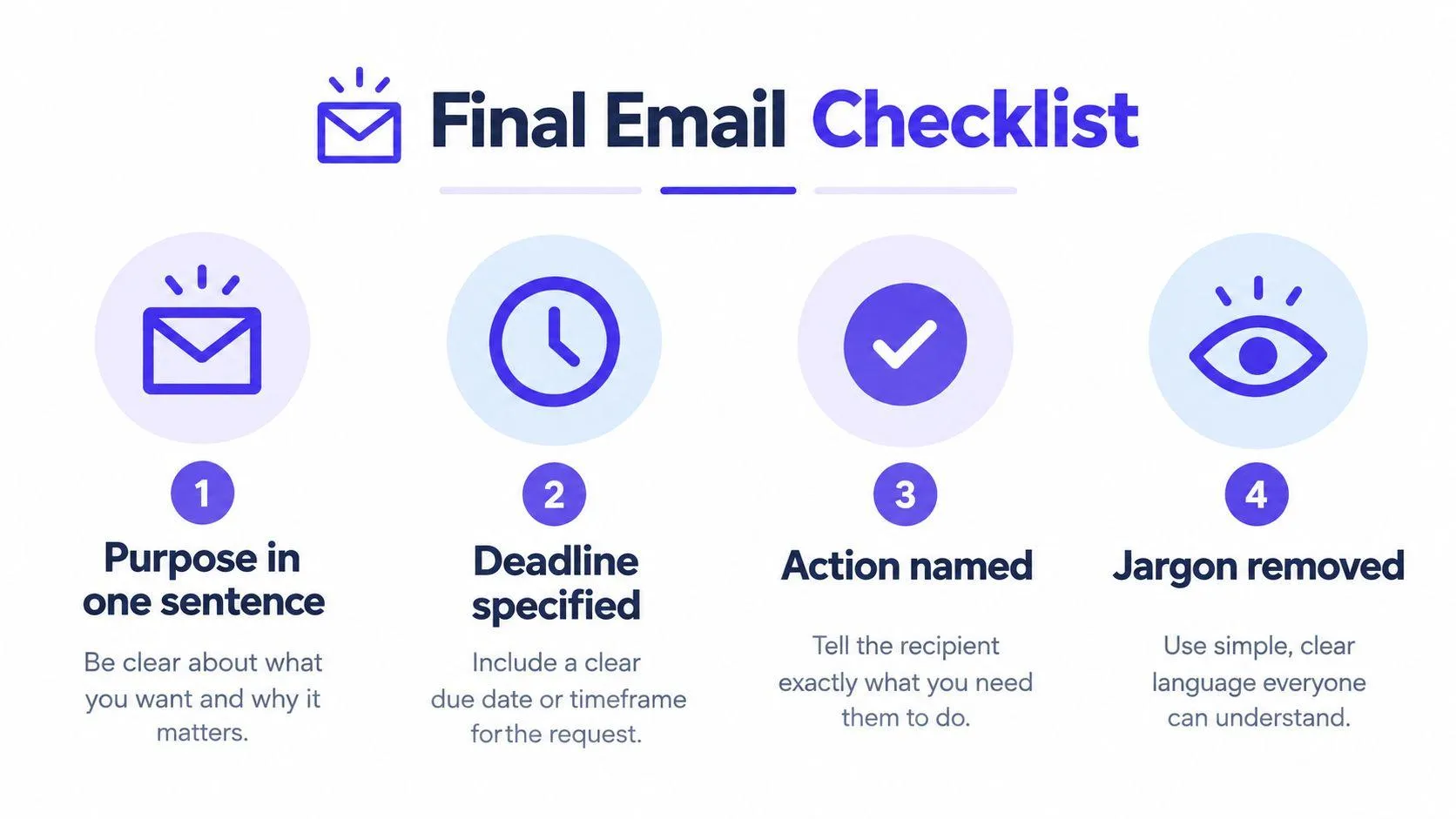
Run this before you hit send
- Purpose in one sentence: can the reader tell why you wrote?
- Action named: does the email say exactly what you want done?
- Deadline specified: if time matters, did you name the time?
- Jargon removed: can a busy person understand it on first read?
That list is short on purpose. The more conditions you add, the more likely the message becomes a dump of half-finished thoughts. Clear business email works because it respects the reader’s time and your own reputation.
One more habit matters. Read the draft aloud once. If it sounds stiff, evasive, or overworked, it probably will read that way too. Replace soft language with direct language, and keep the request visible.
Writing emails for business isn’t about sounding impressive. It’s about making the next step obvious, so the other person can answer, act, or move the work forward without a second round of decoding.
Prompt Like A Pro helps you turn rough ideas into structured prompts that produce cleaner AI drafts for business email, planning, and other everyday writing tasks. If you want a faster way to generate clearer first drafts and then edit them with better judgment, visit Prompt Like A Pro.
Build yours with the wizard
Prompt Like A Pro asks a few questions about your task, then writes a complete prompt for ChatGPT, Claude or Gemini. Free, no signup.
Make a prompt →